What Is Two-Factor Authentication (2FA)? A Beginner’s Guide to Stronger Account Security
Feb 23, 2026
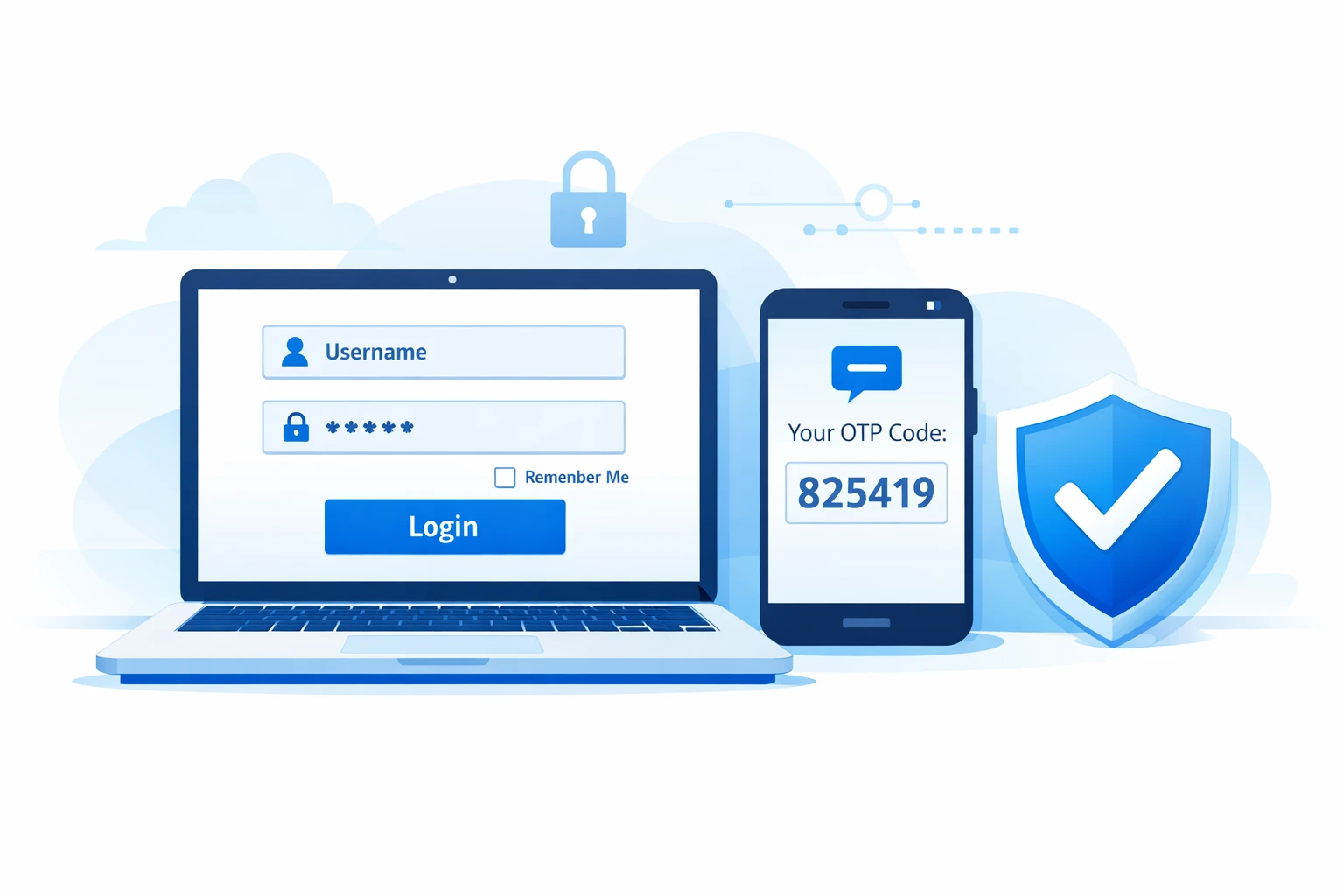
Two-Factor Authentication (2FA) is a security method that requires two different verification factors to access an account. It adds an extra layer beyond your password, significantly improving account security and reducing the risk of unauthorized access, data breaches, and identity theft.
In the modern digital era, almost all online services, including email and banking, social media and cloud storage, all use passwords as security measures. However, cyber-attacks are more advanced, and unsecured password-only systems are becoming more susceptible. Even properly practicing password security, users can be prone to phishing, malware, or massive data leaks.
This is where two-factor authentication is essential. Rather than relying on one piece of information, 2FA enhances the power of the logging-in procedure by necessitating a second type of identity check. This is the extra layer of protection, which means that if a password is leaked, the attackers will not be able to crack through your online accounts so easily.
Cyberspace risks are keeping up with technology, and now 2FA is not optional anymore but a current best practice in cybersecurity. The understanding of how it works and the reasons why it is essential is a significant step towards ensuring the presence of enhanced online safety and the process of keeping the personal information confidential.
Why Passwords Alone Are Not Enough
Passwords are the foundation of most digital security systems. They have been the most common way to secure digital accounts over decades. However, the use of a powerful password alone is not sufficient anymore in the dynamic environment of cybersecurity.
The fact is that signs of cyber threats have become more advanced. Attackers do not just guess simple passwords anymore. Instead, they use system vulnerabilities, mass data leakage, and user behavior patterns.
Even if you create complex credentials, understanding proper password structure is essential. If you're unsure how to build secure credentials, read our complete guide on how to create a strong password to strengthen your first layer of defense.
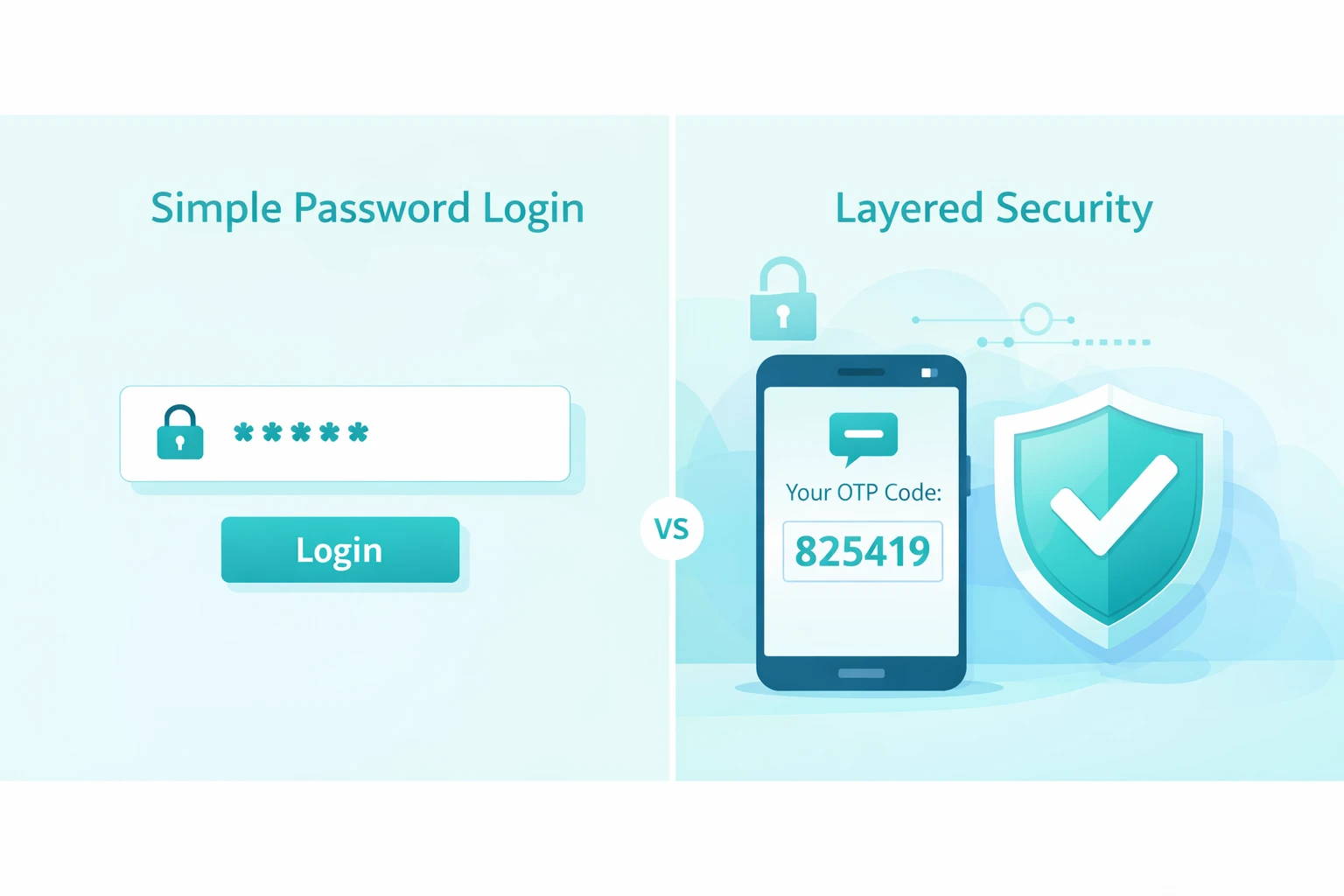
Even carefully created passwords can be compromised through:
Data breaches
Phishing attacks
Malware infections
Credential stuffing attacks
Password reuse across multiple websites
When companies suffer a data breach, millions — sometimes billions — of login credentials may be exposed. These credentials are often sold on underground markets or shared publicly.
Cybercriminals then use automated software to test those stolen passwords across popular platforms such as:
Banking websites
Email services
Social media networks
Online shopping platforms
This automated attack method is known as credential stuffing. It works because many users reuse the same password across multiple services.
Even if you follow strong password security practices, your password may still be exposed through:
Third-party service hacks
Public Wi-Fi interception
Keylogging malware
Social engineering attacks
As an example, when a small website you used to register on is hacked, your email address and password combination might be compromised. When you use the same password in other places, the hackers can try to get into more significant accounts.
Failure to have an extra protective level would enable an attacker with your password to access:
Email accounts
Online banking platforms
Cloud storage services
Social media profiles
Business dashboards
And once inside an email account, attackers can reset passwords for other platforms — creating a chain reaction.
That is why account security in the modern world demands more than memorizing complex passwords memorizing.
Brute-force and guessing attacks are shielded with a strong password. But it will not prevent a person who already has the right password.
That is why Two-Factor Authentication is even needed in the contemporary online environment.
What Is Two-Factor Authentication (2FA)?
Two-Factor Authentication is a cyber-world security step that requires two different types of identity verification to grant access to a given account.
Rather than using only a password, 2FA utilizes two types of authentications. This generates a hierarchical security model that limits the chances of unauthorized access.
Authentication factors are generally grouped into three categories:
1️⃣ Something You Know
This includes:
Password
PIN
Security questions
This is your first authentication factor and is considered knowledge-based authentication.
However, as discussed earlier, knowledge-based factors alone are vulnerable if exposed to a data breach or phishing attack.
2️⃣ Something You Have
This could be:
A smartphone receiving an SMS code
An authentication app generating a time-based one-time password (OTP)
A hardware security key
This factor verifies physical possession of a device. Even when the attackers are aware of your password, they would also require access to your physical device to execute the login process.
This greatly decreases remote hacking since physical access is necessary.
3️⃣ Something You Are
This includes biometric authentication, such as:
Fingerprint scanning
Facial recognition
Retina scanning
Biometrics are based on distinctive physical features that are very hard to duplicate. Biometric login has become a security and protection feature in many smartphones and modern laptops today.
The system produces real layers of security by combining two factors of distinct categories.
For example:
Password (something you know)
App-generated code (something you have)
Or:
Password (something you know)
Fingerprint scan (something you are)
Even if someone steals your password, they cannot complete the login process without the second verification factor.
This significantly increases online security in digital accounts and is in line with contemporary cybersecurity practices suggested by security firms universally.
Instead of using just one barrier, two-factor authentication provides two checkpoints – this makes the unauthorized access a lot harder.
How Does 2FA Work? (Step-by-Step)
Many users ask: how does 2FA work? It is easier to understand than it sounds, and its aim is to produce a secure log-in process without making it too complicated.

Here’s the standard login flow with Two-Factor Authentication:
You must enter your username and strong password.
The system will verify your password against stored credentials.
A verification code will be sent to your phone via SMS, email, or generated through an authentication app.
You must enter the one-time password (OTP) or approve the login on your device.
Your account will be granted permission to access.
The critical difference is step three — the additional security layer. Although hackers may be able to gain access to your account via phishing attacks, a data breach or via credential stuffing, they will not be able to access your account without the second authentication factor.
This extra checkpoint protects against:
Remote login attempts from unknown devices or locations
Stolen password databases
Automated hacking tools used in cyberattacks
That is why 2FA is considered a modern web-based security and account protection standard in email, finance, cloud storage, and social media.
Types of Two-Factor Authentication (2FA)
There are different types of two-Factor Authentication, and they come with varying levels of protection. The following table provides a summary of the key methods, their mechanism, and the circumstances of their most effective usage:

This table is a quick reference. To find out more about the specific 2FA method, scroll down to the explanation of each method, its benefits and drawbacks, and cases of its actual application.
🔹 SMS Codes
SMS-based 2FA sends a one-time password to your phone after entering your password.
Advantages:
Easy to activate
No extra software required
Supported across most platforms
Limitations:
Vulnerable to SIM-swapping attacks
Dependent on mobile network availability
Can be intercepted in rare cases
Best Use: General accounts or when convenience is important. For stronger security, consider using an authentication app or hardware security key.
🔹 Authentication Apps
Apps like Google Authenticator, Microsoft Authenticator, or Authy generate time-based OTPs that refresh every 30 seconds.
Advantages:
Not vulnerable to SIM swapping
Works offline
Strong protection against phishing and unauthorized access

Limitations:
Device loss requires backup codes.
Initial setup may feel technical for beginners.
Best Use: Email, banking, and cloud services. Strong balance of usability and security.
🔹 Email Verification
Some platforms send a verification link or OTP to your registered email address.
Advantages:
No additional software required
Familiar process for most users
Limitations:
In case of email compromise, there is a possibility of other accounts being compromised.
Offers medium security levels in comparison to authentication applications or hardware keys.
Best Use: Secondary accounts or as a backup verification method.
🔹 Hardware Security Keys
A hardware security key is a physical device (USB or NFC) used to verify your login.

Advantages:
Extremely secure
Requires physical presence, preventing remote hacking
Uses cryptographic verification resistant to phishing
Who Uses Them:
Enterprises
Journalists
Security professionals
High-risk individuals
Best Use: Accounts that are high risk or accounts which just demand the highest form of safety.
Is Two-Factor Authentication Safe?
Many users wonder: is 2FA safe?
Yes – with proper implementation Two-Factor Authentication significantly minimizes the chance of an unauthorized user.
However, there is no system that is fully forged against advanced attacks. However, there is no system that is fully forged against advanced attacks. Security is not limited to authentication alone — understanding how platforms manage data privacy and user protection also plays a critical role. For a deeper look into broader online safety concerns, read our guide on whether free online tools are safe to use.
Can 2FA Be Hacked?
While rare, certain attack methods exist:
SIM swapping (affects SMS-based 2FA)
Real-time phishing that captures OTP codes
Malware that targets active authentication sessions
Despite these risks, the possibility of breaching an account is smaller with 2FA enabled compared to one with password-only protection.
Is SMS 2FA Secure?
The use of 2FA through SMS provides limited security. Secure your accounts with authentication applications or hard security keys in case there is a possibility.
What Happens If You Lose Your Phone?
Most platforms provide solutions to prevent permanent lockout:
Backup recovery codes
Secondary email verification
Identity confirmation procedures
Keeping recovery codes in a safe place is an important cybersecurity practice among all users.
Benefits of Enabling 2FA
Enabling Two-Factor Authentication provides multiple security advantages:
Reduces risk of account compromise
Protects against stolen or leaked passwords
Adds an extra security layer
Improve privacy protection
Minimizes exposure during data breaches
Strengthens the login process
Supports safer access to sensitive digital accounts
Even if attackers obtain your password, the second factor blocks access, creating layered security aligned with modern cybersecurity best practices.
Cybersecurity experts, including the U.S. Cybersecurity & Infrastructure Security Agency (CISA), recommend enabling multi-factor authentication as part of modern digital protection practices CISA security guidance.
Strengthen Your Account Security Today
When Should You Enable 2FA?
You need to enable 2FA for every account holding sensitive or personal data, such as:
Email accounts (critical for password resets)
Online banking and financial platforms
Work and business accounts
Cloud storage services
Social media profiles
Cryptocurrency platforms
Two-factor authentication should be turned on wherever possible to enable maximum account security. A combination of 2FA and a strong password makes the defense a strong layer that are highly hard to be broken by a cybercriminal.
2FA vs Strong Passwords – Do You Need Both?
Some users ask: Is 2FA better than a strong password?
The answer: you need both.
A strong password is your first line of defiance.
Two-Factor Authentication is your second line.
In case attackers get access to your password and you have 2FA turned on, they cannot get into your account. On the other hand, using only passwords, a stolen password will provide instant access.
Best practices:
Create unique, strong passwords.
Avoid password reuse across platforms
Use a password generator if needed
Enable 2FA on all critical accounts
They collectively are a layered approach to cybersecurity, enhancing account security and protecting against contemporary threats.
Generate a Strong Password Now
If you're struggling to create complex, unique credentials, try our free Strong Password Generator to instantly generate secure passwords before enabling 2FA.
Common Mistakes When Using 2FA
Despite the Two-Factor Authentication (2FA) being turned on, users occasionally compromise their account security without any intention. Knowing these pitfalls can assist you in keeping good online security and making sure that 2FA can give the best security to your online accounts.
1️⃣ Using Only SMS When Stronger Options Exist
The use of SMS-based 2FA is an improvement over the non-existence of a second factor, yet it is susceptible to SIM-swapping and interception. Stronger authentication apps or hardware security keys should be used whenever there is an opportunity. These will minimize the chances of unauthorized access despite password breaches.
2️⃣ Not Saving Backup Codes
Many services provide backup or recovery codes during 2FA setup. Not saving them may lock you out of your own account in case you lose a phone. You should save your backup code safely (preferably offline) so that you can perform recovery again without having to lose identity validation.
3️⃣ Disabling 2FA for Convenience
Want to skip 2FA for faster login? By doing this, the critical layered security against phishing, credential stuffing, and data breaches is eliminated. Digital safety is not supposed to be overruled by convenience.
4️⃣ Sharing OTP Codes
Do not share one-time passwords (OTP) with anyone, including your friends or colleagues. No legit services shall be demanded by your OTP. Sending codes may directly result in compromised online security and expose sensitive accounts.
This means that by not making these errors, you can have Two-Factor Authentication provide its complete security advantages and enhance your general approach to cybersecurity.
FAQs
Two-Factor Authentication (2FA) is a security method that requires two separate verification factors to access an account. It adds an extra layer of protection beyond your password, improving account security and reducing the risk of unauthorized access. For a deeper dive, see our Strong Password Guide.
Another term used to describe Two-Factor Authentication is the fact that there must be two factors independent of each other, for example, a password (something you know) and a verification code or biometric factor (something you have or are), which are usually known as two-factor authentication. It provides multi-factor security on all digital accounts.
Steps vary by platform, but generally:
Go to your account’s security settings.
Choose Two-Factor Authentication (2FA).
Select a method: SMS code, authentication app, or hardware key.
Follow prompts to complete setup.
For example, enable 2FA on Google accounts via Google Account Security. You can follow Google's official guide to enable 2FA on your account here: Google’s Two-Step Verification setup guide.
Your 2FA code can be sent to you through:
SMSs on your registered phone.
Apps such as Google Authenticator, Microsoft Authenticator, or Authy can be used to provide authentication.
Email verification (on certain websites)
These are commonly time-based codes that expire within a short period to ensure that unauthorized access is avoided.
If you don’t have a phone, you can still enable 2FA using:
Authentication apps on tablets or computers
Hardware security keys (USB or NFC)
Backup codes provided during setup
These approaches provide a high degree of account security without a mobile device.
No, 2FA is usually optional. However, most services highly recommend it so as to enhance online security, particularly email, online banking, and cloud accounts. Applications such as Gmail, Microsoft, and financial applications (sensitive accounts) are strong proponents of such.
The 2FA steps are a minor additional requirement, and modern applications such as authentication applications allow 2FA to be quick and smooth. The minor lag is minimal in comparison with the huge increase in account security and protection against cyber threats.
The majority of platforms offer backup codes, secondary email validation, or other methods of identity validation. Seemingly, always save recovery codes in a safe place offline to get back online without jeopardizing your identity validation procedure.
Conclusion
Strengthening Your Online Security
Modern digital accounts cannot be secured using passwords alone.
Two-Factor Authentication is an additional security system that substantially mitigates the possibility of unauthorized access, identity theft and account compromise.
For stronger account security:
Use a unique strong password
Enable 2FA wherever available
Prefer authentication apps over SMS
Store recovery codes securely
Modern security depends on multi-layered security. Two-Factor Authentication has become more powerful with password protection to counter the dynamic cyber threats.
At e4Tools, we provide secure, productivity-focused tools designed to improve your digital safety and workflow efficiency.