Scientific Calculator Mistakes Beginners Must Avoid (Step-by-Step Fixes & Examples)
Apr 30, 2026

Scientific calculator mistakes usually happen due to wrong mode settings, incorrect input structure, or misunderstanding of mathematical functions—not because the calculator is faulty.
Scientific calculators are vital tools in academic institutions like board exams, physics laboratories, and other engineering exams to solve complex tasks as promptly and precisely as possible. You can also use an online scientific calculator for quick and accurate results.
However, many students assume the calculator is giving wrong answers when unexpected results appear. In most cases, the issue is not the device itself, but small input errors such as incorrect angle mode (DEG vs RAD), missing brackets, or selecting log instead of ln. Even a minor mistake can completely change the final result.
Exam pressure can be a major challenge, with time constraints and hurried answers contributing to unnecessary mistakes. Instead of carefully checking input structure, many rely on calculator output without verification, which increases the chances of mistakes.

In exam situations, students often understand the formulas but lose marks due to incorrect calculator usage rather than lack of knowledge.
If you have ever wondered why a calculator gives wrong answers, this guide explains the most common scientific calculator mistakes, along with simple fixes and real exam-style examples to help improve accuracy and avoid unnecessary errors.
Written from an SEO and educational content perspective, based on real-world student calculator usage patterns.
Real Exam + Classroom Case Study
In real academic environments, especially in board exams, physics labs, and engineering tests, this situation is extremely common.
Let’s take a deeper real-world scenario.
In one board exam preparation session, three students attempted the same trigonometry question:
Student A used correct DEG mode → full marks
Student B used RAD mode → incorrect answer
Student C forgot brackets → completely different result
At first, even the teacher assumed the issue was a weak understanding of the topic. This pattern is repeatedly observed in board exam checking sessions, especially in physics and mathematics evaluations.
But after checking step-by-step:
The students didn’t make math mistakes — they made execution mistakes.
In fact, one student lost 5 marks in a board exam simply because the calculator was left in RAD mode instead of DEG.
Real Exam Hall Moment
One student later said:
“I knew the formula. I was confident. But when I saw a different answer, I panicked for the last 10 minutes and couldn’t fix it.”
That moment of confusion is where most avoidable calculator mistakes turn into lost grades.
This is a very real situation in exam halls where pressure turns a small configuration error into a major score loss.
This is why scientific calculator mistakes beginners must avoid are not just technical—they are emotional under exam pressure.
Why Beginners Get Wrong Answers in Scientific Calculations
From classroom exam observations, one consistent pattern appears:
Students don’t fail because of mathematics.
They fail because of execution habits.
Common patterns I’ve repeatedly seen in exam halls:
Assuming the calculator auto-detects the correct mode
Rushing under time pressure
Copying expressions without structure checking
Forgetting previous mode settings
One strong observation from teaching environments:
“Students often trust the calculator more than their own input checking.”
Even advanced calculators like Casio or Texas Instruments only execute commands; they do not interpret intent.
In my experience working with students in exam preparation environments, these mistakes repeat more due to habits than the difficulty of maths.
Top Scientific Calculator Mistakes
1. Using Wrong Angle Mode (DEG vs RAD)
One pattern I consistently notice in exam environments is that students often overlook calculator mode settings, even when they know the correct formula.
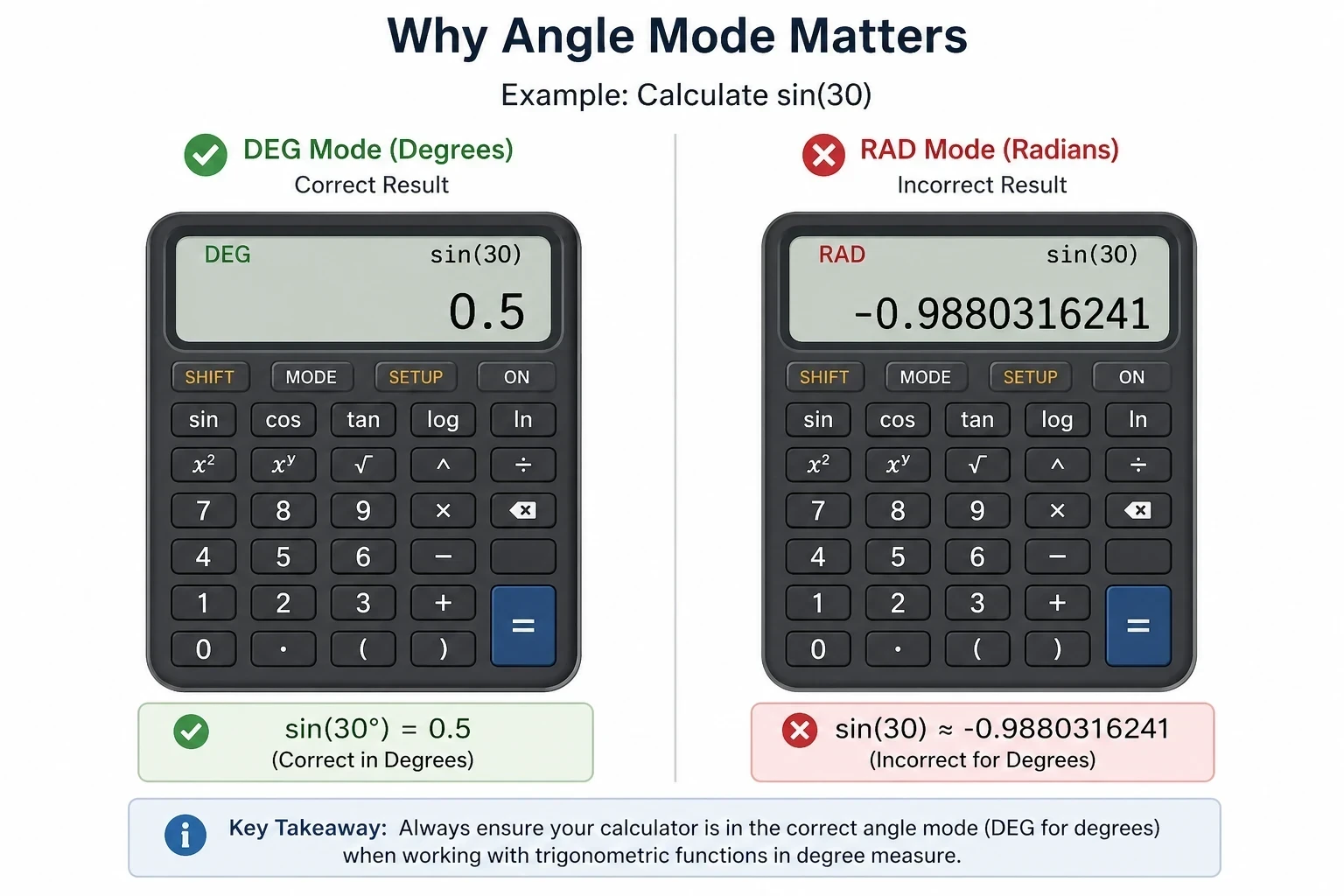
This is one of the most serious and frequently observed exam issues.
Scientific calculators operate in the following ways:
Degrees (DEG)
Radians (RAD)
Understanding trigonometric functions explanation helps clarify why DEG and RAD modes produce completely different results.
Comparison Test: DEG vs RAD Mode
Same input, completely different interpretation. To go deeper, see radians vs degrees explained to understand how angle measurement changes calculation outcomes.
In school exams, most questions assume DEG mode unless explicitly stated.
This is a consistently observed pattern in board exam evaluation systems, especially in physics and mathematics assessments where small input errors directly affect marks.
2. Ignoring Brackets in Order of Operations
Mathematics strictly follows BODMAS:
Brackets → Orders → Division → Multiplication → Addition → Subtraction
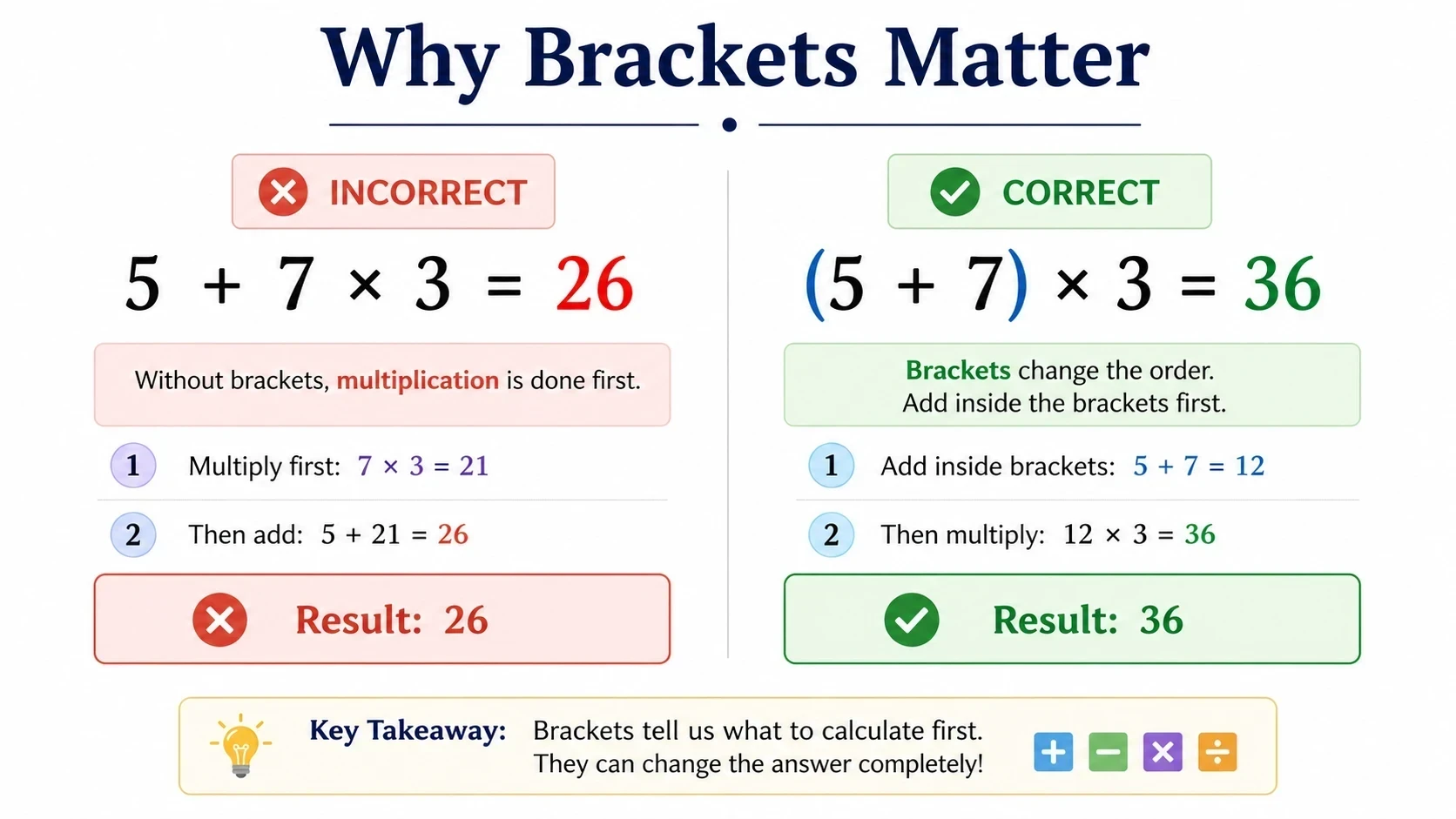
Example:
5 + 7 × 3 = 26 ✅
NOT 36 ❌
To understand how calculations follow a fixed sequence, see order of operations explained.
Many students assume calculators “understand intention”, but they only follow structure.
This leads to structural input errors, not mathematical errors.
3. Misusing Log and Ln
log = base 10.
ln = natural logarithm (base e)
In physics experiments (especially exponential decay topics), students often use log instead of ln and get completely incorrect results—even when the formula is correct.
This is a classic log vs ln calculator mistake seen in chemistry and physics labs.
4. Incorrect Use of Memory Buttons
Memory functions (M+, MR, MC) often create hidden calculation errors.
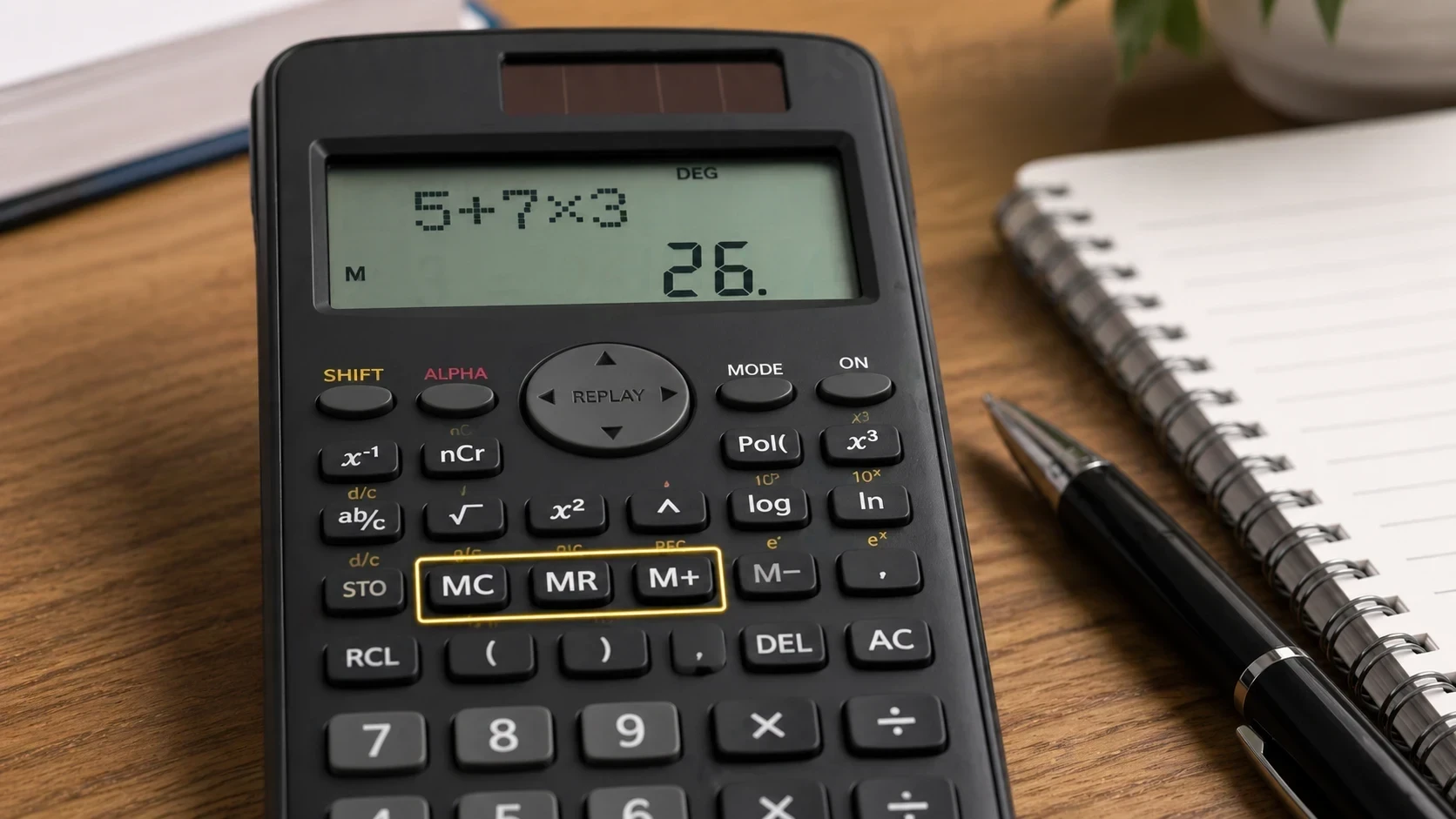
A student stored values in M+ during earlier questions, forgot it was active, and unknowingly carried previous values into new calculations.
Result: incorrect final answers despite correct formulas.
This is a configuration error, not a math error.
5. Entering Expressions Incorrectly
Most beginners make structural mistakes such as:
Missing brackets
Wrong sequence
Skipping multiplication signs
Students assume “small formatting won’t matter".
But calculators execute exactly what is entered—no interpretation, no correction.
Quick Calculator Accuracy Method
To reduce most scientific calculator mistakes, students can follow this simple method:
Scan mode before starting (DEG / RAD check)
Analyze expression before input.
Format correctly using brackets.
Execute carefully without rushing.
This method is commonly used in exam preparation environments to reduce input-related errors and improve calculation accuracy under time pressure.
You can practice using a free scientific calculator online to avoid real exam mistakes.
Real Calculator Error Comparison
This shows that accuracy depends more on execution behavior than mathematical knowledge.
Why These Mistakes Happen
From classroom and exam analysis, most errors come from the following:
Time pressure rushing
Skipping verification step
Overconfidence in calculator output
Lack of structured input habits
These are execution mistakes, not intelligence gaps.
Why Your Calculator Is Not Wrong
Let’s be clear:
Your calculator is not faulty. It strictly follows mathematical rules and input structure.
Try practicing with a free online scientific calculator
Understanding how to use an online scientific calculator correctly helps prevent these common mistakes.
It strictly follows:
Mathematical rules
Input structure
Function definitions
In real engineering and physics practice, professionals always recheck input before final results.
This is standard STEM practice, not beginner-level caution.
Scientific Calculator Mistakes Summary Table
Pro Tips to Avoid Errors
Always verify the mode first.
Use brackets intentionally.
Never rush under pressure.
Understand the function before use.
Recheck the final expression.
Small habits = high-accuracy performance.
Use this quick checklist before every exam to avoid common scientific calculator mistakes.
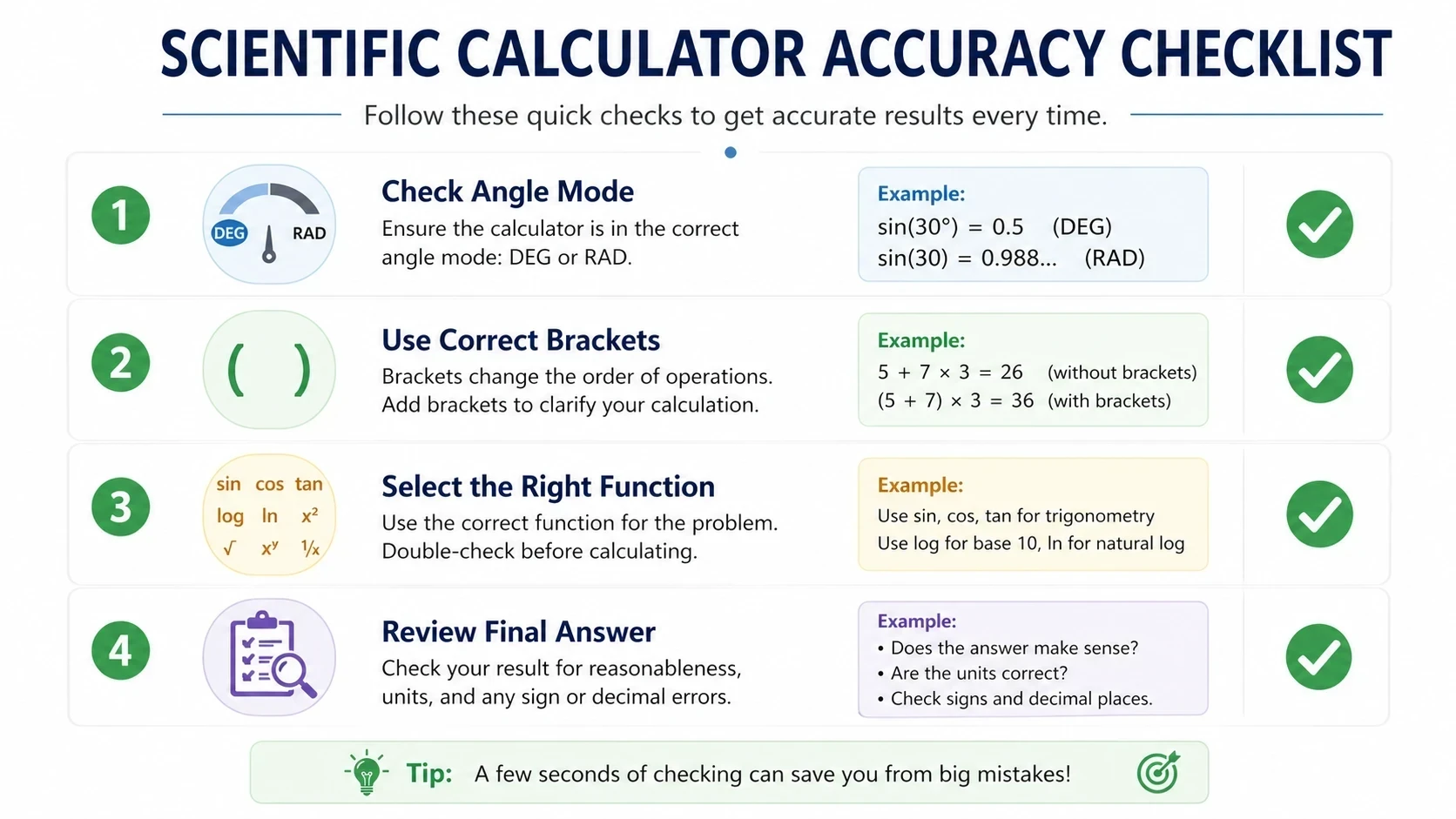
Quick Beginner Checklist
DEG/RAD correct
Proper brackets used
Correct function selected
Input double-checked
Expression complete
Voice Search Answers
Why is my scientific calculator giving wrong answers?
Because of the incorrect mode (DEG vs RAD) of the calculator or an incorrectly structured input expression.
How do I fix scientific calculator mistakes?
By checking the mode first, then enter the expression carefully with correct brackets and select the right function.
Why does sin 30 show the wrong result?
Because the calculator is set to radians, rather than degrees, which alters the meaning of the input.
FAQs
The most common scientific calculator mistakes are using the wrong angle mode (DEG, rather than RAD), bracket omission in expressions, and choosing the wrong functions, such as log in place of ln.
It is actually accurate. Mostly wrong results occur because of incorrect input, false mode settings (DEG/RAD) or absent brackets in an expression. The calculator just obeys the specific input entered.
Check the mode (DEG or RAD), re-enter the expression with good brackets, and make sure that the right function (log, ln, sin, etc.) is taken.
Numerous mathematical errors using calculators occur due to students hurrying up in exams and skipping verification steps. The final result can be turned entirely upside down with even a minor mistake like parentheses not being placed or an incorrect function. To prevent this, remember to clear memory (MC), make sure to set the mode first, and use step-by-step instead of typing everything in one line.
Because trigonometric functions depend on angle mode. DEG and RAD settings produce completely different results for the same input.
In almost all cases, the calculator is not broken. Scientific calculators are very precise, and they adhere to the rules of mathematics. The most common mistakes are related to user input errors, including mode selection errors, missing brackets, or an inaccurate understanding of how to use a specific function. In board exams, physics labs, and engineering environments, these are considered input errors—not device faults.
Yes, even a simple input error can entirely alter the ultimate output of a scientific calculator. Absence of parentheses, improper structure of expression or selection of different functions may give inaccurate results. This is the reason why being careful in input is as valuable as having the formula on hand.
Exam pressure, hurry in calculations, and neglecting verification procedures cause students to make mistakes. Many assume the calculator will interpret their intent, but scientific calculators only execute exactly what is entered. This leads to avoidable errors in timed exam situations.
Conclusion
The scientific calculator mistakes which a beginner must avoid are not only concerned with how to solve calculation errors but also with how to acquire structured thought and correct input habits.
From confusion → control
From random input → structured calculation
From calculator dependence → accuracy awareness
Most importantly, mastering calculator input is what separates average students from high-scoring, confident exam performers who avoid unnecessary mark loss due to small but costly mistakes.
Explore more e4Tools online tools for smarter learning and faster problem solving.