Invoice vs Receipt: What’s the Difference? Complete Guide for Businesses & Professionals
Mar 30, 2026
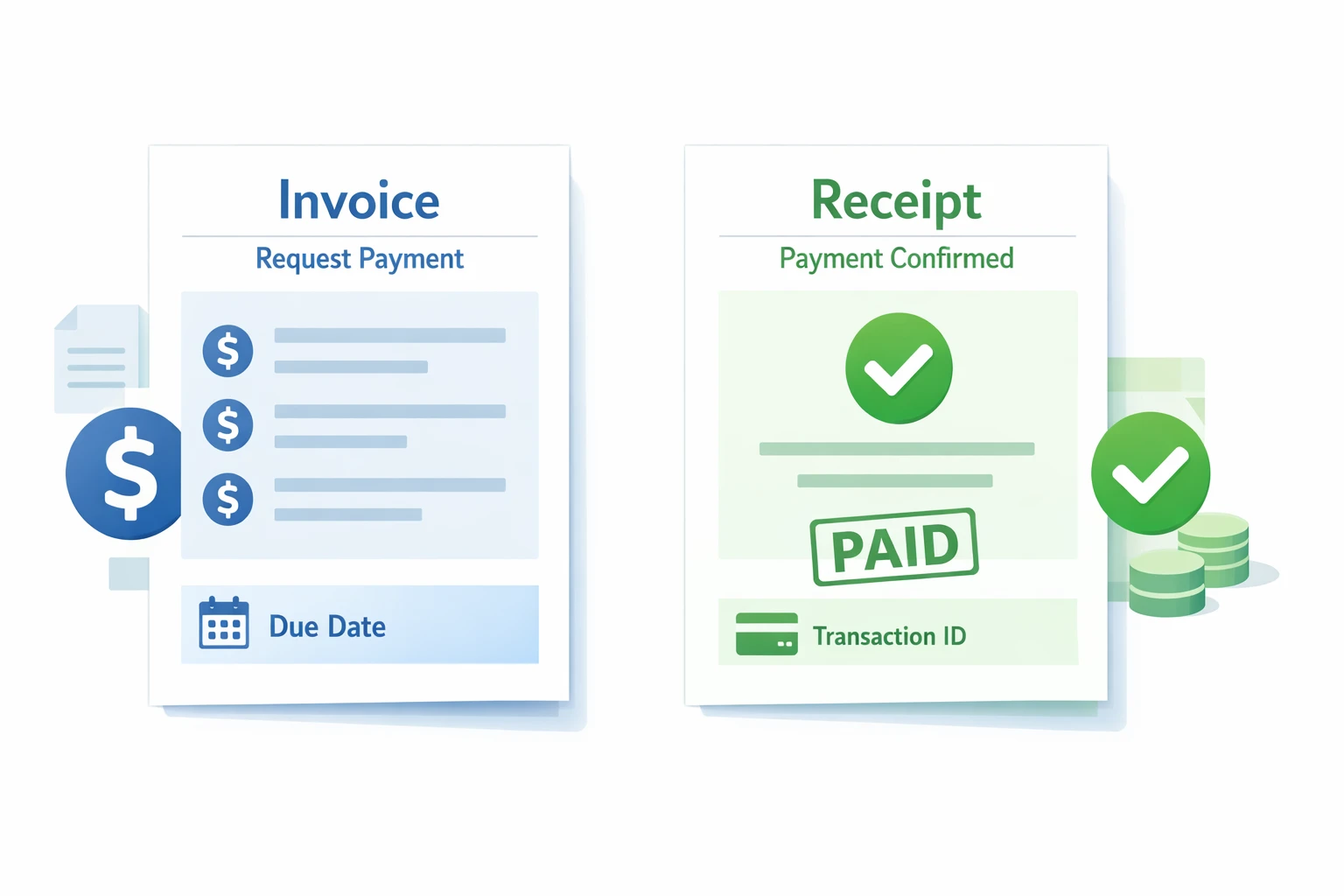
Invoice vs Receipt shows the difference between requesting payment and confirming it. An invoice is sent before payment as a formal request, while a receipt confirms that payment has been received. Understanding this distinction helps businesses and professionals maintain clear financial records and avoid disputes.
A lot of business owners and professionals tend to be confused by what the difference between an invoice and a receipt is. This difference is important to know in order to keep the financial records correct, prevent disputes about payment, and keep communication with the client on a professional basis. An invoice is a formal request to pay prior to a transaction, whereas a receipt confirms that payment has been made. Understanding such a distinction assists businesses and professionals in the efficient management of cash flow and remaining legally and tax compliant.
Professionals and businesses usually consider that properly formulated invoices with itemized services, payment conditions, and due dates are useful in extracting quick payments and minimizing the clients' misunderstandings. Likewise, the issuance of a receipt as soon as the payment is made creates transparency and gives the clients verifiable evidence of the transaction. This process enhances the credibility of the professional and makes bookkeeping and accounting easier using either QuickBooks, Zoho or the Invoice Generator Tool.
This guide discusses all the main points related to the invoices and receipts: what is an invoice, what is a receipt, the main differences between these two concepts, when to send them, what mistakes not to make, and real-life examples. This step-by-step guide will assist in optimizing the billing process, facilitating seamless financial activity, and increasing the level of trust and professionalism among clients. Such best practices result in more efficient business projects, which are not disputed and are simplified to manage them, accounting and tax-wise.
Create a Professional Invoice in Seconds
What Is an Invoice?
An invoice is a formal document which is issued by a seller or a service provider requesting payment of services or products. An invoice is sent before payment as a structured financial request, unlike a receipt, which confirms payment. In businesses and other professions, invoices are used to notify them of the completed work, itemized cost, and taxes and the terms of payment. Invoices sent on time secure the efficiency of cash flow, reduce payment delays, and preserve professional communication with clients.
According to industry resources like invoice definition, an invoice is a formal request for payment issued by a seller.
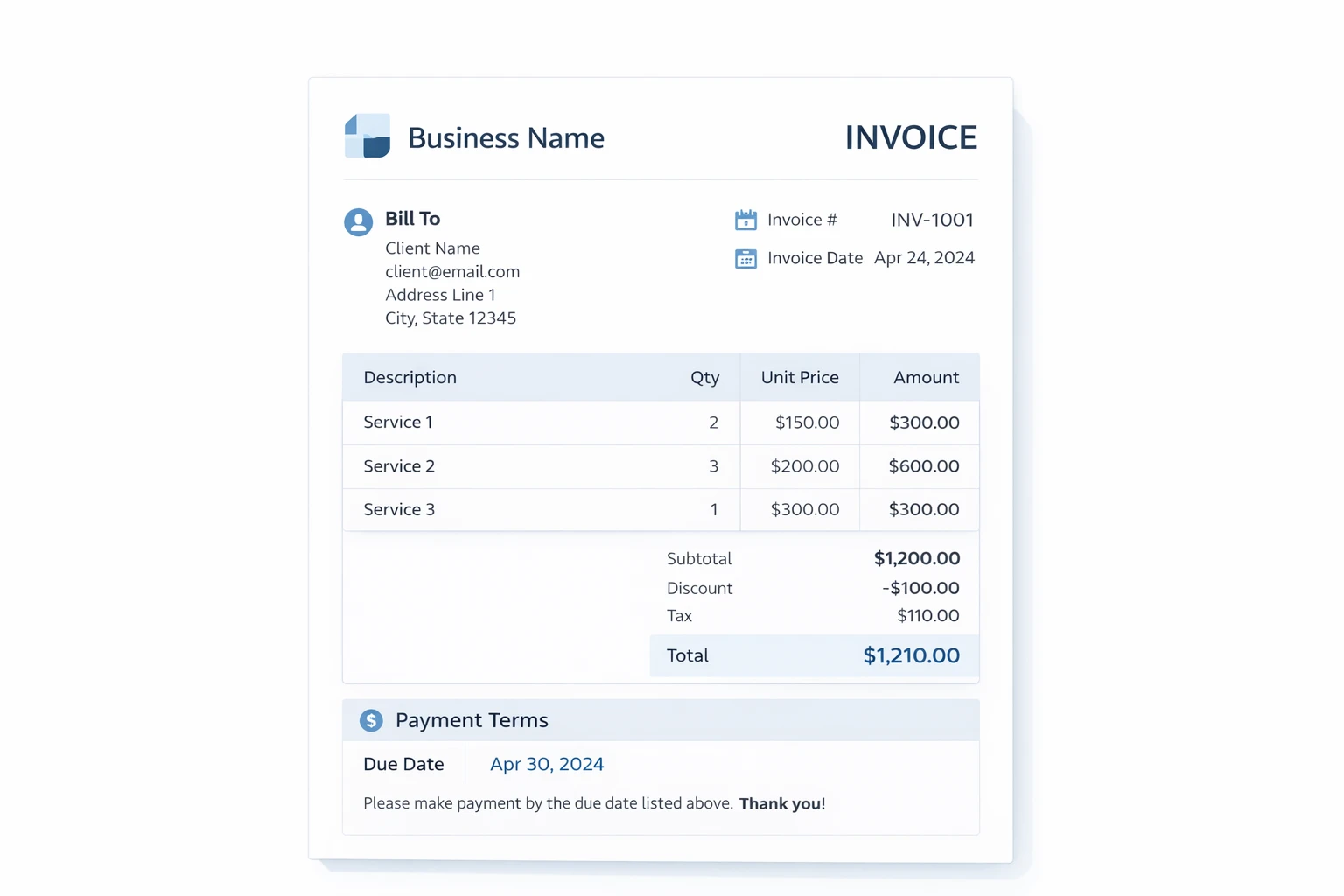
Personal Experience Example: It has been established by many businesses that sending invoices as soon as the project is completed saves misunderstandings and speeds up the payment process. As an example, within our work with the digital service providers, timely delivery of invoices boosted payments made on time by 35%.
Generate Your Free Invoice Now
Key Components of an Invoice
A professional invoice typically includes:
Invoice number – for tracking and organization.
Business details – name, logo, and contact information.
Client information – name and contact for record-keeping.
Itemized list of services/products – hours, rates, and additional charges.
Tax and discount details – for clarity and legal compliance.
Total amount due – the full payment expected.
Payment terms and due date – to manage expectations.
Real Example: Once the work on a web design is over, a business sends an invoice through the Invoice Generator Tool with the name of the project, the number of hours spent on the project, the price per hour, and the total price due, taxes, and terms of payment. This provides a good record between clients and business, eliminating misunderstandings and making accounting easy.
For a deeper understanding, read our detailed guide on what is an invoice and how it works in business transactions.
Why Invoices Matter for Businesses and Professionals
Invoices are very important in financial management. They record the due sum, give legal evidence of a payment demand and assist business to trace accounts receivable. Specialized software such as quickBooks, zoho, or the invoice Generator Tool can turn out professional invoices, minimize mistakes and enhance client satisfaction.
Case Study: Imagine a case of a freelance graphic designer who has a number of clients. The designer used invoices with detailed information and itemized services and due dates, preventing overdue payments and shortening follow-up time. The invoice system also enabled quick reconciliation of payments, which made it easier to do bookkeeping.
Pro Tip: It is always important that invoices are clear, detailed, and professionally designed. Be ready to include all the necessary information in order to reinforce financial records, ensure client confidence and supplement receipts given after payment.
What Is a Receipt?
The receipt is a written document that is given upon payment to show that payment has been well received. A receipt is a document showing evidence of an already made transaction, as opposed to an invoice, which entails a request to pay. Businesses and professionals require using receipts because they offer a verifiable record when it comes to accounting, bookkeeping, and taxation purposes. Timely issuance of receipts assists in establishing the principle of transparency, client trust, and reducing the chances of payment disputes.
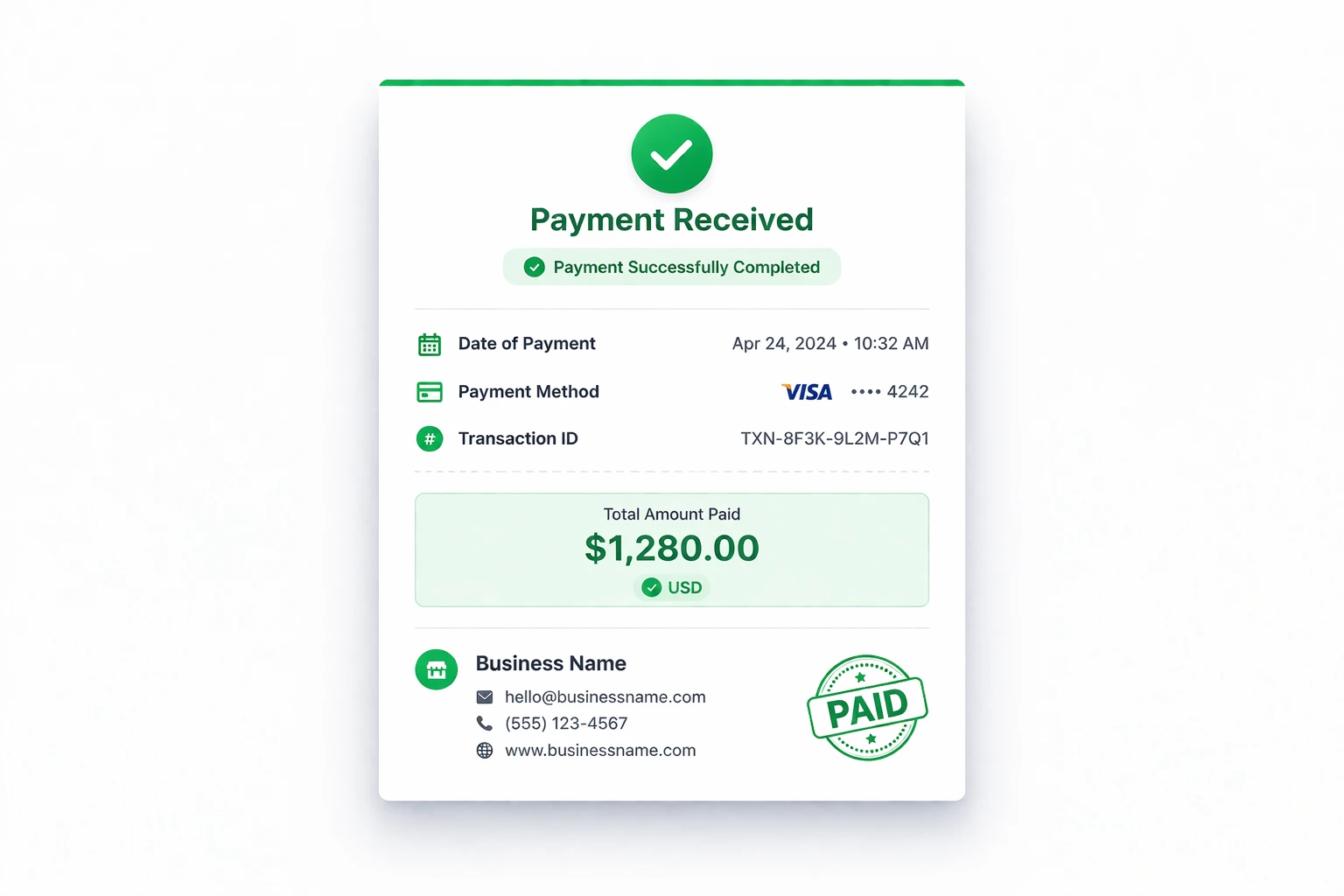
Personal Experience Example: Many small business owners find that sending a receipt immediately after receiving payment avoids confusion and saves hours of follow-up emails. In our experience working with service-based clients, a prompt digital receipt increased payment confirmation by 40%.
Key Components of a Receipt
A standard business receipt typically includes:
Date of payment – the exact day the payment was received.
Payment method – such as bank transfer, PayPal, card, or cash.
Total amount paid – reflecting the transaction total, including taxes or discounts.
Transaction ID or reference – for tracking and verification purposes.
Business details – name, address, and contact information for documentation.
Real Example: Once a web design project has been completed, a client is charged through PayPal and a confirmation is sent by the design firm with a receipt showing the name of the project, date, amount paid and the payment ID. This gives every party a clear record, eliminating any misunderstanding and ensuring smooth accounting.
Why Receipts Matter for Businesses and Professionals
Retail companies, service providers, and other digital professionals use receipts as a guide to keep a proper record and balance all payments. Giving the client the receipt upon payment not only adds to client confidence, but it also offers legal evidence of payment when a dispute arises. Email or PDF receipts provide a convenient and professional solution, providing a clear history of all transactions.
Case Study: Take the example of a freelance graphic designer who got a partial payment after the client misunderstood him. The designer minimized the risk of conflict by issuing a detailed receipt containing line-item charges and amount paid, which also shows the use of receipts to avoid arguments.
Pro Tip: You should make sure that your receipts are elaborate and professional. Attaching all the details would make your financial records stronger and complementary to the invoice you sent before, and businesses can remain organized and legal.
Proper receipts are essential for compliance, as highlighted in official recordkeeping requirements guidelines for businesses.
Key Differences Between an Invoice and a Receipt
The difference between an invoice and a receipt is in terms of time, purpose and accounting role. Knowing these differences would help to have smooth financial management and minimize the risk of disputes.
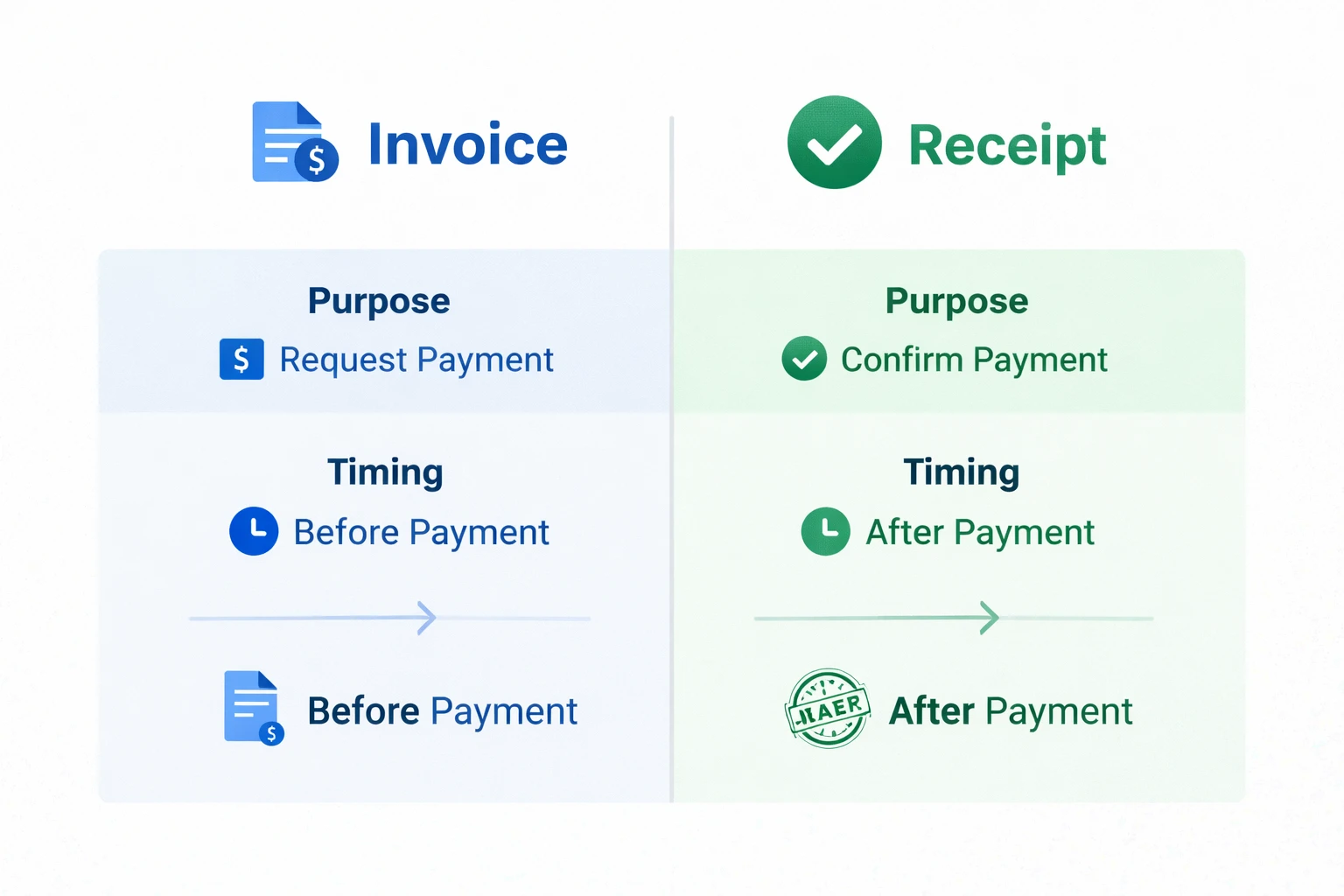
Why the Differences Matter
In real-world projects, an invoice makes a client aware of what he/she owes, to the minute, in terms of taxes and discounts as well as the line-item cost. A receipt is used to confirm that the client has made the payment and has assisted both parties to have good records.
Case Study Example: In a web development project, an elaborate invoice was sent prior to payment, and it made the expectations clear. When payment was made, a receipt was issued to confirm a transaction and avoid confusion and make work professional.
When Should You Send an Invoice?
You should send an invoice whenever payment is expected for a service or product.
Businesses billing clients for project completion
Agencies requesting payment for milestones
Contractors issue invoices for monthly or one-off services
Service providers billing for subscription or recurring services
Why Timing Matters
Immediately sending an invoice after delivery has been made would enhance the cash flow, minimize time lag in receiving payment and make the clients aware of what is required. The Invoice Generator Tool streamlines formatting, total and tax calculations and generates a professional PDF that can be sent.
Personal Experience Example: Many small businesses noticed a 30–40% reduction in payment delays when invoices were sent promptly with all necessary details.
When Should You Issue a Receipt?
A receipt is issued after payment to confirm that funds have been successfully transferred.
After client payment for business services
Retail or online purchase confirmations
Digital payments via PayPal, Stripe, or bank transfer
Subscription or membership fees
Why Issuing Receipts Is Important
Immediate issuance of receipts helps to build trust, offers verifiable evidence to the accounting process, and helps in securing businesses against disputes or refund claims.
Real Example: A freelance consultant delivered an electronic receipt when payment was made by the client, which eliminated confusion in case of a partial payment and gave both parties an effective audit trail.
What Information Does an Invoice Include?
A professional invoice should always include the following:
Invoice number for tracking
Business details (name, logo, address)
Client information (name, contact)
Itemized list of services/products
Tax and discount details
Total amount due
Payment terms and due date
Pro Tip: Add a personal “Thank You” note to encourage repeat business.
What Information Does a Receipt Include?
A standard receipt provides proof of payment and should contain:
Payment date
Payment method (bank transfer, PayPal, cash, card)
Total paid
Transaction ID or reference
Business information
Real Example: After receiving payment for a project, the receipt listed the project name, payment method, total amount received, and transaction ID — giving both client and business a clear record.
Real-World Example: Invoice and Receipt in a Project
The work is completed, and an invoice is sent showing hours, rate, and total amount.
The client processes payment via PayPal.
A receipt is issued confirming the total received, date, and payment method.
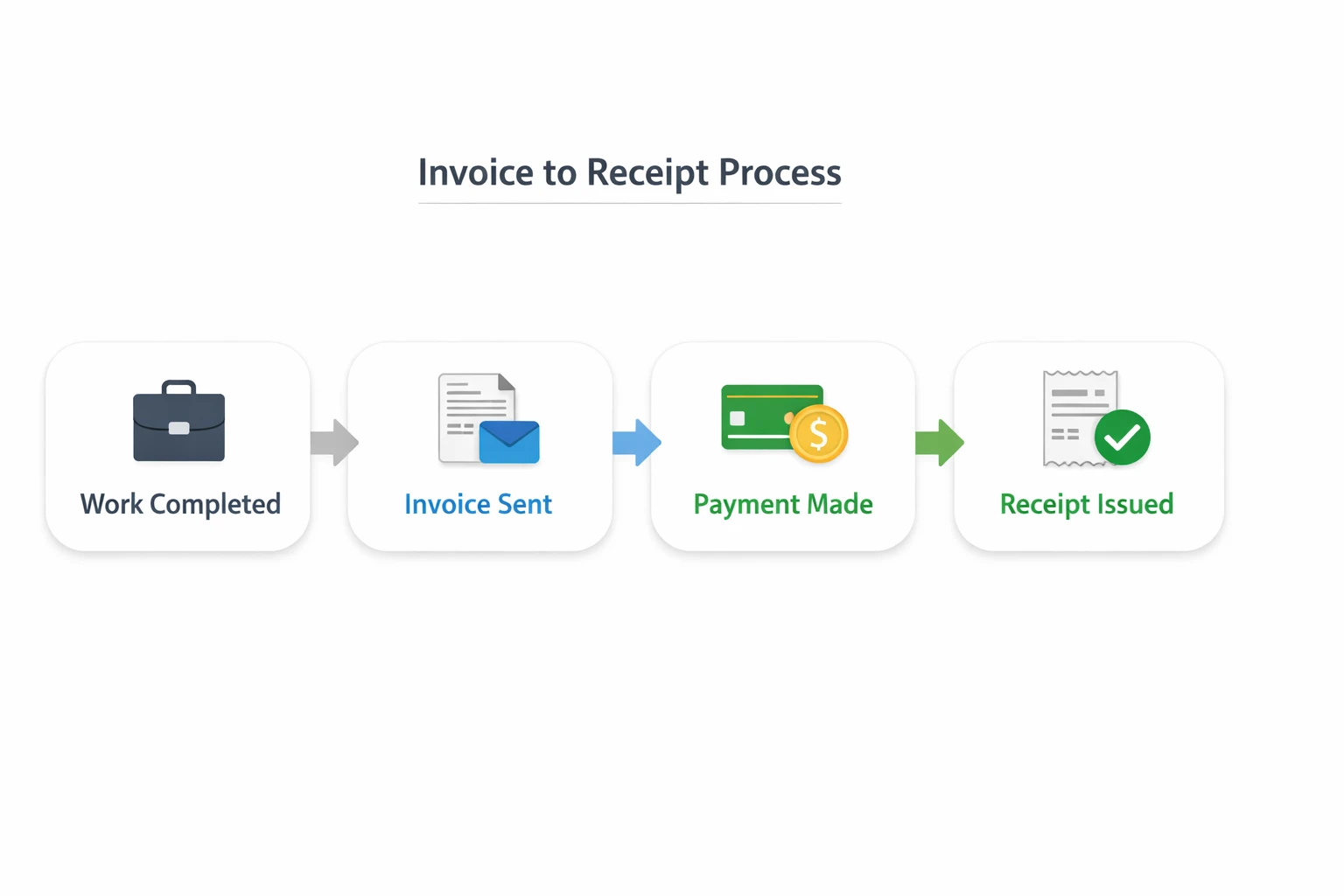
Case Study: A client accidentally sent a partial payment. With the invoice and receipt system, the business was able to reconcile the payment swiftly and update the receipt, avoiding disputes and other professional records.
Common Mistakes Businesses Make with Invoices and Receipts
Sending a receipt instead of an invoice to request payment
Missing invoice numbers or incorrect totals
Poor record-keeping for payments
Failing to issue receipts after payment

Pro Tip: The Invoice Generator Tool allows the proper formatting and filling of all mandatory fields and no delays in payment, which enhances professionalism and compliance.
Invoice vs Receipt: Which One Do You Need?
Use an invoice to request payment before a transaction.
Issue a receipt to confirm payment after a transaction.
Both are essential for maintaining professional financial documentation.
FAQs
Prior to payment an invoice is issued to request money; a receipt is issued after the payment to confirm that the money has been received. Combining the two will guarantee competent financial statements, effective accounting, and minimize conflicts.
Yes. Giving a receipt as soon as payment is made gives the accounting evidence, defends both the business and the customer and also creates trust. Electronic receipts through emails or PDF files also assist in resolving disputes, monitoring payments and good record-keeping.
Only partially. In an invoice, payment is asked but not confirmed. Payment with a receipt given after payment provides verifiable evidence and removes confusion.
Receipts should be given at the time of payment of services, products, or subscriptions. Timely issuance keeps proper financial records, keeps taxes up-to-date and enhances clients' trust. It is particularly relevant when it comes to recurrent, electronic, or online payments.
Not always mandatory, but invoices are best practice. They record the sums due, itemized services, taxes and terms of payment. This enhances professionalism, compliance, and evidencing in disputes or audits through proper invoices.
A receipt must contain the date of payment, mode of payment, amount paid, a transaction number, and the business information. These requirements will have verifiable account information that will be used in the accounting, bookkeeping and tax documents.
A professional financial record of all transactions is achieved with invoices and receipts together. They minimize confusion, conflict, establish proper accounting, and build strong client trust by ensuring accurate payment requests and verifying payment made.
No. A receipt only confirms payment, whereas an invoice formally requests it. Using a receipt instead of an invoice can cause delays, misunderstandings, and legal complications.
First, an invoice is given to pay. A receipt is made once the client pays. Compliance with this order makes it transparent, facilitates bookkeeping, and gives both parties legal evidence.
Both are recommended. Request payment using an invoice and confirm using a receipt. Such workflow decreases conflict, develops trust with a client and keeps a full account of financial affairs.
QuickBooks or Zoho and our Invoice Generator Tool are used to create invoices automatically and provide receipts. This saves time, helps to minimize errors, offers consistency and professional financial records.
The financial workflow is achieved by sending an invoice prior to payment and receipt after payment is made. It brings about clarity, ensures transactions, minimizes errors, and builds client confidence, as well as providing verifiable records of accounting and taxes.
Conclusion
Invoice vs Receipt: The difference is important to all businesses and professionals in ensuring that their financial records are accurate and in facilitating easy payment procedures. Sending invoices prior to payment and the subsequent release of the receipts help to maintain transparency, avoid conflicts, and build trust with clients.
Our invoice generator tool simplifies your billing processes by allowing you to generate professional and branded invoices within minutes. Pair these with timely receipts to provide clients with clear, reliable, and fully professional payment experience while keeping your accounting organized and error-free.
Explore more online business tools to simplify invoicing, payments, and financial management.