🔐 How to Create a Strong Password (Complete Beginner’s Guide)
Feb 17, 2026

How to create a strong password: A strong password combines letters, numbers, and symbols in a way that is hard to guess but easy to remember. It protects your accounts, email, social media, and banking apps from hacking, identity theft, and unauthorized access.
In today’s digital world, understanding what online tools are and how they support everyday tasks is essential for maintaining productivity and online security. Likewise, the necessity to learn how to create a good password is not an option but a basic digital survival strategy. Passwords are the first and most important plinth of defense against the unauthorized access of email and social media, in addition to banking apps, academic portals, and business dashboards, among others.
However, despite years of awareness campaigns, weak and reused passwords are one of the most popular reasons worldwide to compromise an account. This flow will describe what a strong password is, why weak passwords are harmful, and how anyone can secure their online identity in practical, ethical, and security-first methods.
You can always use tools such as a secure password generator to get faster and more secure, but it is equally essential to know why passwords fail and how password strength works.
What Is a Strong Password and Why It Matters

A strong password is a mixture of characters that humans and machines find tricky to figure out but can be done by the individual account holder.
From a cybersecurity standpoint, a strong password:
Has sufficient password length
Uses varied character combinations
Avoids predictable patterns
Is unique to one account only
Weak passwords expose users to serious risks, including:
Unauthorized account access
Identity theft
Financial loss
Long-term data misuse
Simply put, learning how to create a strong password lowers the risk of your accounts being hacked by using common methods of attack like brute force attacks and even phishing.
Why Weak Passwords Are Dangerous
Weak passwords do not work because they are based on predictability. Automated attacks will be able to exploit names, birthdays, frequently used words or reused credentials.

⚠️Password Reuse Risks
Reusing the same password across multiple platforms creates a domino effect:
One leaked password can unlock many accounts
Attackers use automated tools to test credentials elsewhere
Email compromise often leads to full digital identity takeover
This is why account security depends on uniqueness, not memorability alone.
Data Breaches
Every year, data breaches take place as a result of weak authentication practices. When leaked credentials appear online, attackers test them across:
Email services
Social media platforms
Financial accounts
Work and admin dashboards
That is why strong passwords are treated as primary digital hygiene and are not a sophisticated method of protection.
What Makes a Password Secure?
To know what constitutes a strong and secure password, it is better to deconstruct the structural aspect of it.
🔐 Core Components of a Secure Password
Component Why It Matters
Password Length vs Complexity
Length matters more than complexity alone.
Longer passwords dramatically increase entropy, making attacks computationally impractical.

Entropy Explained
Password entropy is a measure of password predictability.
Think of entropy like this:
Low entropy → easy to guess
High entropy → extremely difficult to crack
Entropy increases when:
Passwords are longer.
Characters are random.
Patterns are eliminated.
That is why it is usually safer to use a password generator randomly than to guess combinations manually.
How Hackers Crack Weak Passwords
Understanding attack methods helps prevent them.

Brute Force Attack
Attackers try every possible combination until they succeed. Short and simple passwords fall very quickly.
Credential Stuffing
Leaked credentials from one service are tested automatically on others. This attack succeeds mainly because of password reuse.
Phishing
Users are tricked into entering login credentials on fake websites or emails. Strong passwords reduce damage, but awareness is equally important.
Are Online Password Generators Safe to Use?
Many users ask: Is an online password generator safe?
The answer depends on how the tool is designed.
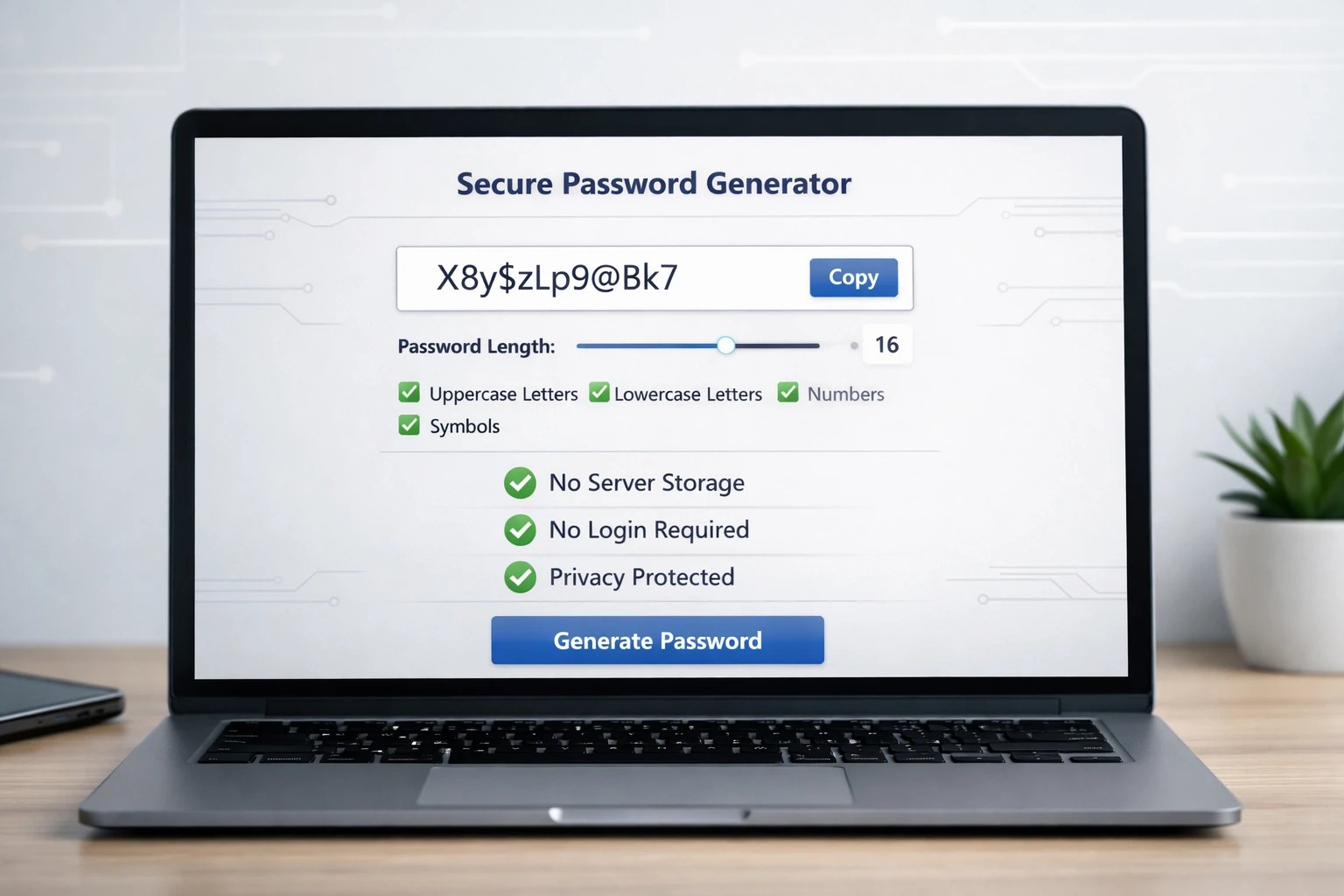
✅ A Trustworthy Password Generator Tool Should:
Used responsibly, a secure password generator eliminates human bias and improves password quality.
Important mindset:
A tool assists – still the user must take care of storage, reuse and protective measures.
If you want a deeper understanding of privacy, security, and reliability, read our detailed guide on Are free online tools safe to use? before choosing any online password generator.
✅ How to Create a Strong Password (Step-by-Step)
The following is a safe, viable and ethical way of how to create a strong password online, based on enhancing password strength and long-term security of an account.
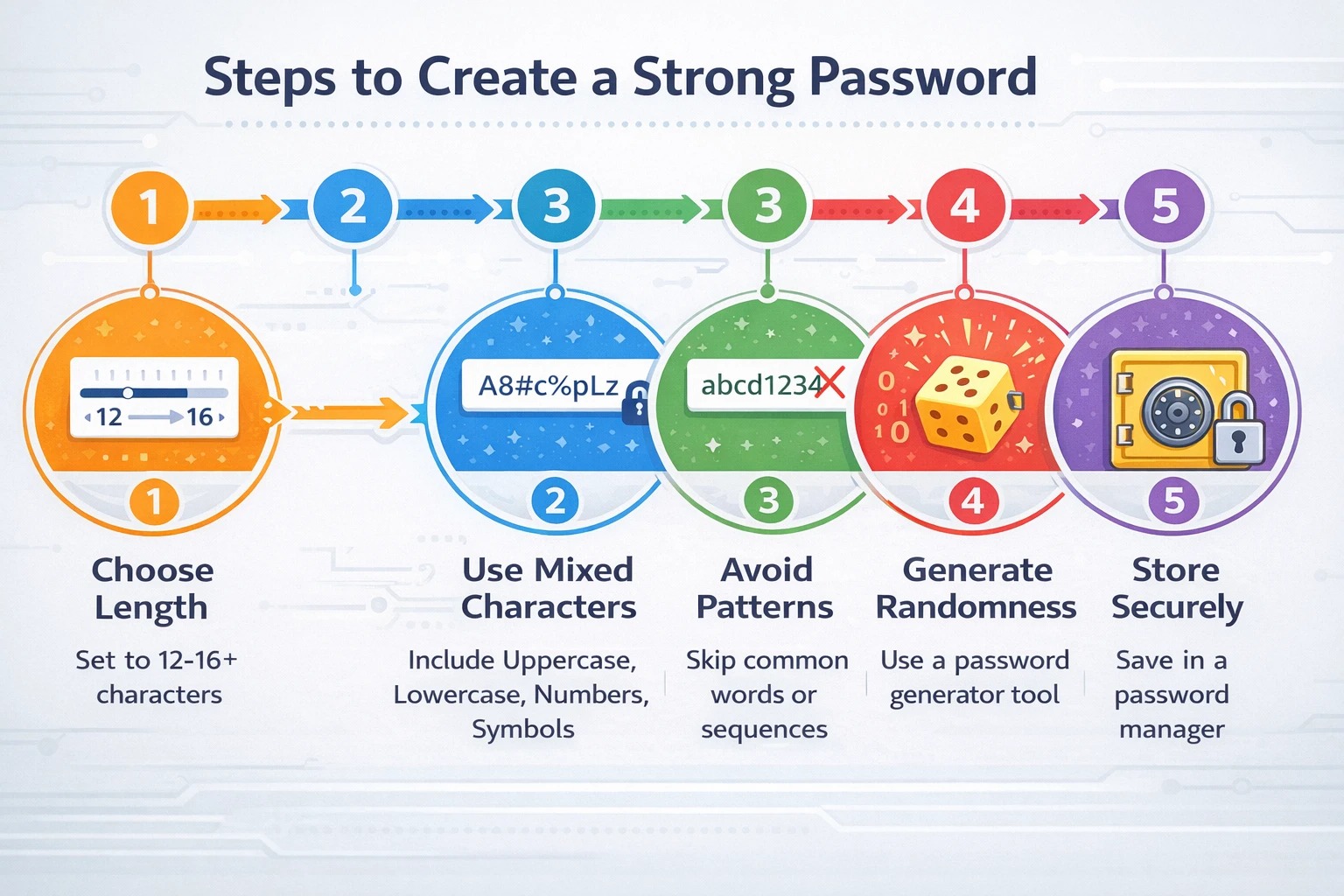
Step 1: Choose the Right Length
Minimum length should be 12-16 characters because the longer the password, the higher the entropy, and consequently, the harder it is to break into a decrypted message. The password length means more combinations and, consequently, better coverage of the aggregate cybersecurity.
When available, use 16 or more characters in sensitive accounts like email, banking, or administrative dashboards.
Step 2: Use Mixed Characters
Include a balanced mix of:
Uppercase letters
Lowercase letters
Numbers
Special characters
The different combinations of characters can ensure that it is not predictable and cannot be attacked by a dictionary. The passwords are harder to crack by automated cracking software when they combine multiple types of characters randomly.
Do not group similar characters (such as all numbers at the end of the line); in effect, passwords get stronger due to the real randomness.
Step 3: Avoid Predictable Patterns
Do not use:
Names
Birthdays
Phone numbers
Common words
Keyboard sequences like “123456” or “qwerty”
An attacker tends to have pattern-recognition software that trials frequently used combinations first. Deleting personal messages, clearing patterns, increases entropy, and prevents cases of credential stuffing.
It is necessary to remember that a safe password should not be linked to your identity or online trace.
Step 4: Generate True Randomness
Instead of manually guessing combinations, use a secure password generator tool to generate a secure password free from patterns and human bias.
Human-created passwords tend to follow subconscious patterns, which reduce entropy. A properly built password generator tool creates mathematically randomized combinations, making them far more resistant to brute force attacks.
Use the Strong Password Generator on e4Tools. This improves the security of your accounts and the internal SEO structure of your site.
Before relying on any password generator, it’s important to understand how to choose the right online tool based on privacy, accuracy, and transparency.
Learn How to Safely Use Online Tools
Step 5: Store It Securely
Once a strong password is created, store it in the password manager of trust rather than in plain-text files, unsecured notes and browser files.
A password manager uses encryption to store login data and can assist you in having a unique password on each account without the use of memory. This avoids risks of duplicating passwords and enhances online safety in the long run.
Passwords should never be shared by mail or by messaging applications unless they are encrypted and they are absolutely crucial.
Best Practices for Managing Passwords
Creating a password is only half the process.
However, even the strongest password cannot fully protect your account if it is exposed in a data breach. For complete protection, consider enabling an additional security layer such as Two-Factor Authentication (2FA). Learn how 2FA works and why it significantly strengthens account security in our complete beginner’s guide.
Ethical & Safe Password Usage
Strong passwords are about responsibility, not fear.
Ethical usage means:
Protecting your own data
Respecting digital systems
Avoiding careless sharing
Understanding that tools assist — users decide
Just like a calculator helps with maths, a password generator tool helps with randomness — but responsibility stays with the user.
Who Should Care About Strong Passwords?
Strong passwords protect both digital footprint and reputation.
FAQs
A strong password is a random combination of symbols, numbers, letters, and no personal significance. Example: G7f!9kL$2pQw^xR#. Do not use names or dates or common words, and it must be unique to an account.
Use 12-16+ characters, i.e., uppercase, lowercase, numerals and symbols. Always avoid using predictable patterns, create some randomness using a secure password generator and save it somewhere safe in a reputable password manager.
Example: f7G$3kL!. While stronger than weak passwords, 8 characters are less secure than 12–16 characters. Longer passwords greatly increase resistance to brute force attacks.
Yes. Password generators are safe when they run locally in your browser, do not store passwords, and require no tracking or login. Tools like the Strong Password Generator on e4tools follow these best practices to ensure strong, random passwords.
No. Password reusing enhances the consequences of data breaches. A single account can result in a series of breaches. You are advised to use a password manager, create and use different passwords in each account and enable two-factor authentication (2FA).
The best password generator runs locally, respects privacy, and allows control over length and complexity. Applications such as the Strong Password Generator on e4tools create truly random, secure passwords and leave it up to the user to be responsible in using the password.
Conclusion
Strong Passwords Protect More Than Accounts
One of the easiest (and, most importantly, the most effective) activities to perform to ensure online presence security is to know how to make the password strong.
Strong passwords:
Reduce breach risks
Protect identity
Safeguard finances
Support long-term digital safety
Tools like a secure password generator make the process easier — but real security comes from informed, responsible use.
If you regularly rely on digital tools, exploring the best free online utility tools can help you stay productive while maintaining security and efficiency.