Top 10 Common Invoice Mistakes That Delay Client Payments (And How to Fix Them)
Mar 31, 2026
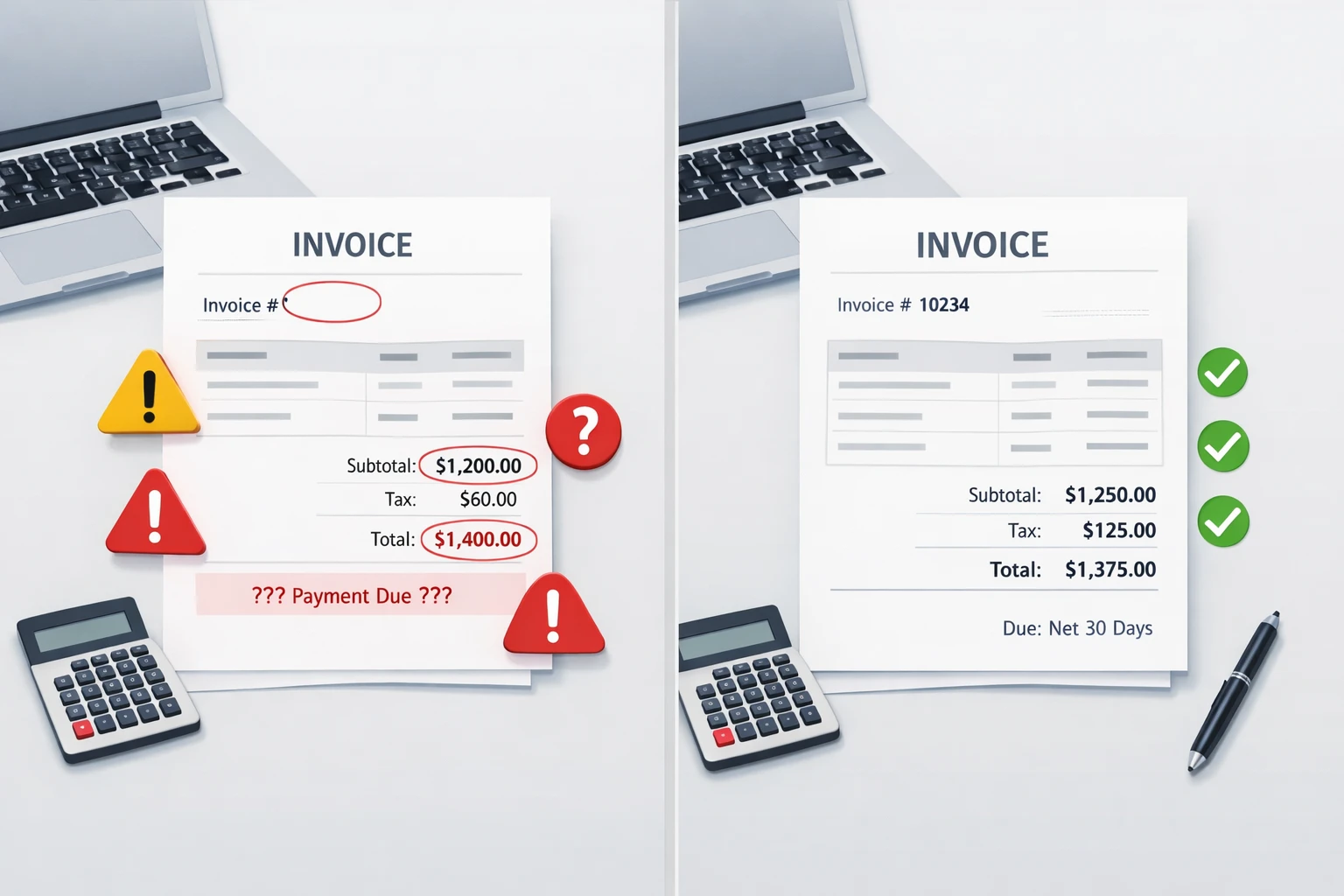
Common invoice mistakes are errors in billing documents—such as missing invoice numbers, incorrect totals, or unclear payment terms—that can slow down client payments and disrupt cash flow. Avoiding these invoicing mistakes helps freelancers and small businesses get paid faster and maintain professional financial records.
Invoices are not just financial documents but are the foundation of cash flow management among freelancers, contractors and small businesses. Even small errors in invoicing may result in late payments, poor relations with clients, and all sorts of misunderstandings in accounting or audits. The most common question that many freelancers and small business owners pose is, 'Why is my client not paying on time after receiving an invoice?'
We revealed the top common 10 invoice mistakes in this guide that slow down payment and offered useful solutions to each error. You will know how to make professional invoices, prevent the calculation mistakes, keep the payment terms clear, and receive payments sooner. The free online invoice generator tool makes life much easier and eliminates the need to work out totals, taxes, and discounts, as it instantly creates professional invoice templates within just a few seconds.
We’ve also included real-world examples and comparisons to illustrate the impact of these mistakes. By the end, you will be armed with freelancer invoice tips and strategies on how to enhance invoice accuracy, client trust, and cash flow control. Whether you are a freelancer, small business, contractor or accountant, this guide can guarantee that you will avoid late payments, keep a professional financial record and enhance relationships with clients.
Understanding invoices and how they affect business payments helps businesses maintain proper financial records and ensure smooth transactions.
👉 Create Your Free Invoice Now
Why Invoice Accuracy Matters for Freelancers and Small Businesses

The accuracy of invoices is essential to professionalism, trust of clients and financial health. For freelancers, a well-structured invoice, with clear details, will indicate to clients that you are well organized, reliable, and transparent. For small businesses, correct invoices make the accounts receivable management easy, avoid taxation, and provide legal accountability in case of an audit.
Mistakes such as missing line items, incorrect totals, or ambiguous payment terms can lead clients to hesitate, slowing down payments and causing unnecessary follow-ups. payment terms are unclear. According to research, well-structured and professional invoices can accelerate client payments by 30–40%, helping maintain consistent cash flow.
Learn the difference between invoices and receipts to avoid documentation errors.
Real-World Example: A freelancer once sent an invoice missing the correct due date and client email. Payment was delayed by two weeks until they followed up manually. After switching to e4tools, payments became timely, and errors like this were eliminated.
Tools like the free online invoice generating tools resolve these errors by computing tax, discount and total automatically. They standardize formatting, provide uniform branding and simplify the creation of PDF invoices or emailing. Relationships are enhanced through accuracy as it minimizes confusion, eliminate disputes, and prove accountability. Clients value freelancers and businesses with effective documentation that is informative and transparent.
The invoice accuracy prevents delays in payments, being proactive in ensuring invoice accuracy saves time in bookkeeping and cash flow and builds credibility. Clear, professional invoices encourage repeat business and allow your processes to scale as your client base grows.
Accurate invoicing plays a key role in maintaining healthy business cash flow and ensuring timely payments.
👉 Learn How to Create a Perfect Invoice
Top 10 Common Invoice Mistakes (And How to Fix Them)
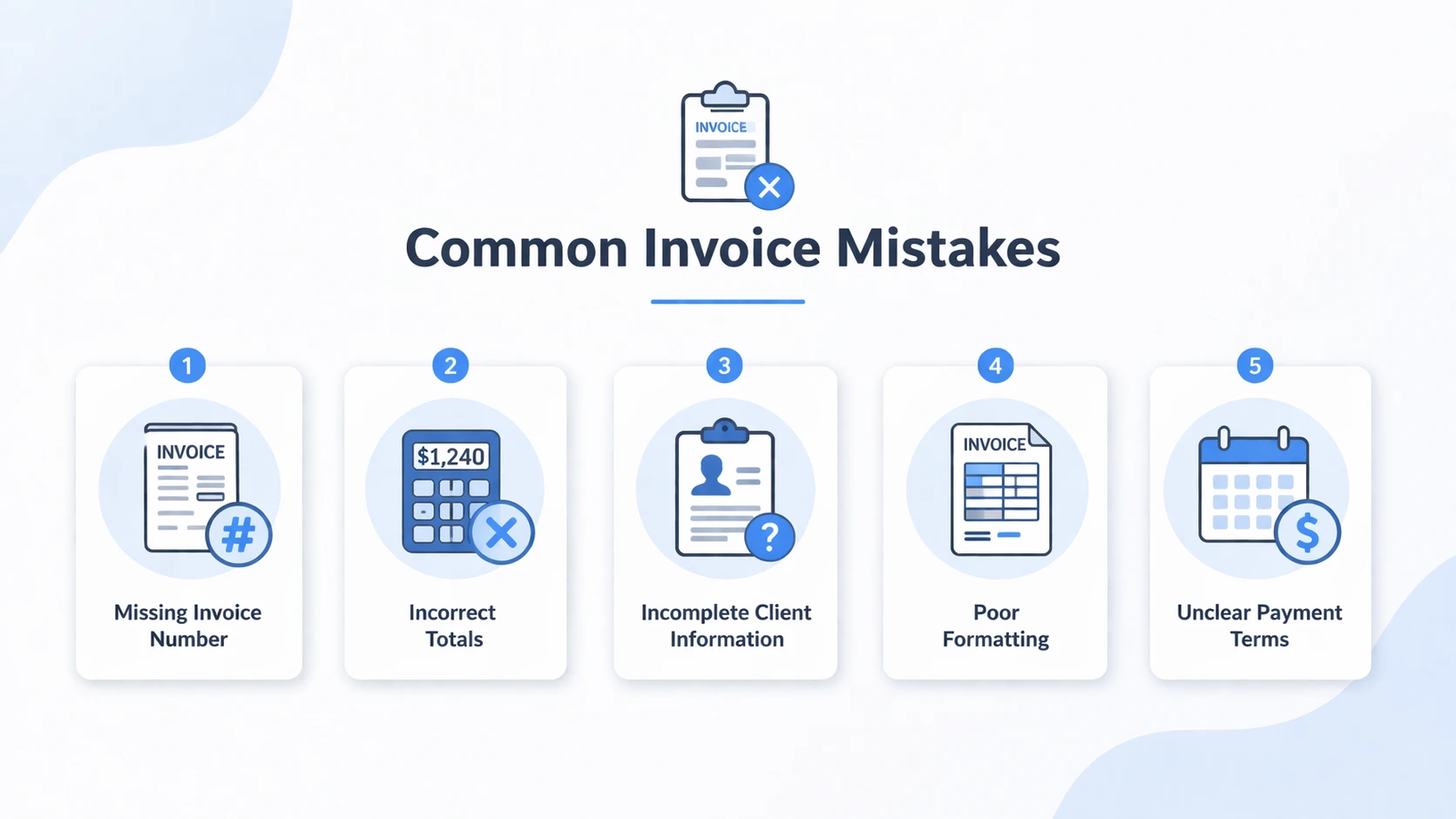
1. Missing or Incorrect Invoice Number
Each invoice must have a unique tracking number, an accounting number, and a reconciliation number. Missing or duplication of numbers may cause confusion and delay in payments as well as problems with the audit. This is something that is often overlooked by freelancers and small business owners, which leads to mismanaged accounts receivable.
If you’re unsure what an invoice should include, start here:
Fix: Assign a unique number to every invoice. Using an online invoice generator like e4tools automatically generates sequential numbers to prevent duplication. Proper numbering simplifies reconciliation and maintains organized financial documentation.
Tip: Use a format like INV-2026-001 for clarity. Sequential numbers improve audit processes and client confidence.
Example: One small business reported losing track of three invoices in a single month due to duplicate numbers. After switching to automated numbering, errors disappeared, and payment speed improved noticeably.
2. Incomplete Client Information
The invoices lacking full details of the client, including name, email, company or billing address, may delay the payment. The companies that interact with multiple clients are especially vulnerable.
Fix: Never send invoices without checking the details of your client. Provide company name, contact person, email and billing address. Accuracy provides compliance in taxation and communication, particularly to foreign clients.
Tip: Pre-save client profiles in e4tools to prevent repeated errors and save time.
3. Missing or Wrong Payment Terms & Due Dates
Unclear expressions such as “please pay soon” are confusing. Clients can delay payments when payment terms are not clear.
Fix: Specify explicit payment terms, such as Net 15 or Due on Receipt, and list accepted payment methods (bank transfer, PayPal, or credit card). Tools like e4tools ensure consistent visibility.
Tip: Include late fees or early payment discounts to incentivize faster payment.
4. Incorrect or Missing Line Items
Line items detail the services or products provided. Errors in descriptions, quantities, or prices confuse clients and slow payments. Freelancers managing multiple projects often make this error.
Fix: Double-check each line item and include detailed descriptions. Automated tools calculate subtotals and totals to reduce human error.
Tip: Break down services into smaller line items. Example: separate web design, revisions, and SEO optimization for transparency.
Mini-Comparison: In a test, manually prepared invoices had a 15% error rate in line items, whereas invoices generated via e4tools had virtually zero errors.
5. Wrong Taxes, Fees, or Discounts
Some of the most prevalent invoice errors that delay invoice approvals are incorrect taxes, hidden charges or incorrectly applied discounts. Minor errors may cause clients to doubt the accuracy of invoices, which creates unjustified back-and-forth communication. In the case of freelancers and small businesses, this does not only influence the speed of payment processing but may also harm trust and create compliance problems when auditing or reviewing financial statements.
A lot of companies have a problem using the right tax rates, particularly when it comes to other regions or foreign clients. Likewise, forgetting to add agreed-upon discounts or inserting unplanned charges may annoy clients and slow down finance-department approvals.
Fix: Taxes, fees, and discounts are calculated correctly with the help of automated tools such as the e4tools free online invoice generator. Always verify totals and make charges clearly identifiable in order to make sure clients know what they are paying.
Tip: It is advisable not to include all the taxes, fees, and discounts in a single compilation but have them under separate line items. This makes things clear and reduces the level of misunderstanding.
Example: One of the small businesses used the wrong VAT rate, which led the client to refuse to accept the invoice and demanded another one. With automated calculation, the error was removed and payment handled in a timely manner after the change.
6. Poor Invoice Formatting
Improperly designed invoices can be as bad as inaccurate calculations. Clients are more likely to postpone payment processing when they cannot find the important information, such as totals, due dates, or payment methods, very fast. Mostly finance teams will check the invoices, and ambiguous formatting can delay internal approvals.
Some of the common formatting problems are cluttered layouts, font disputes, absent headings, or brand absence. These issues render invoices unprofessional and decrease the trust of clients in your business activity.
Fix: Have a clean and professional invoice template where each section is clearly defined, like client details, line items, subtotal, taxes and final total. Solutions such as e4tools have organized templates that are consistent throughout all invoices.
Tip: Use bold text to emphasize important words such as the total amount and due date and set some spacing to make them clear at first sight.
7. Confusing Invoice vs Receipt
Another surprisingly frequent error is confusing an invoice with a receipt. Although they might seem to be alike, they have totally different purposes. An invoice is a request for payment, while a receipt is confirmation that the payment has been received. Confusion and the delay in payment may arise when these two are mixed up, particularly when the clients are required to use proper documentation to make accounting processes.
A client who gets a document that resembles a receipt rather than an invoice might think that the payment has already been registered or might refer the document to the incorrect department. This misunderstanding may greatly delay the payment process.
Fix: You should always send an invoice when requesting payment and a receipt should be dispatched upon an effective payment. Both papers are well labelled and differentiated.
Reminder: It is better to have headings such as Invoice and Payment Receipt in big bold prints at the top of the documents to prevent confusion.
8. Delayed Invoice Delivery
Time is a key factor in ensuring faster payment. Late delivery of invoices after a project is completed may really hurt your overall cash flow. The more time you take to send an invoice, the more time the client will spend paying the invoice.
Freelancers and small businesses may delay invoicing until they complete the details or handle other tasks. This delay can, however, extend the payment cycle of the client, particularly when they process invoices in batches.
Fix: Issue invoices as soon as work is done or a product is delivered. An online invoice generator enables one to generate and send invoices in real-time without any delays.
Tip: Establish a work process or routine in which invoicing becomes the last stage of any project. This provides uniformity and prevents the loss of billing.
Examples: A freelancer that used to issue invoices at the end of each week moved to issuing invoices as soon as the project was complete. Consequently, their average day of payment dropped to only 5 days, as compared to 14 days earlier.
9. Not Following Up on Outstanding Invoices
Anyhow, even with an ideal invoice, clients may fail to make payments unless you make calls after that. Clients usually have a lot of work, and invoices can be lost. Unpaid invoices may take weeks or even months to get paid without reminders.
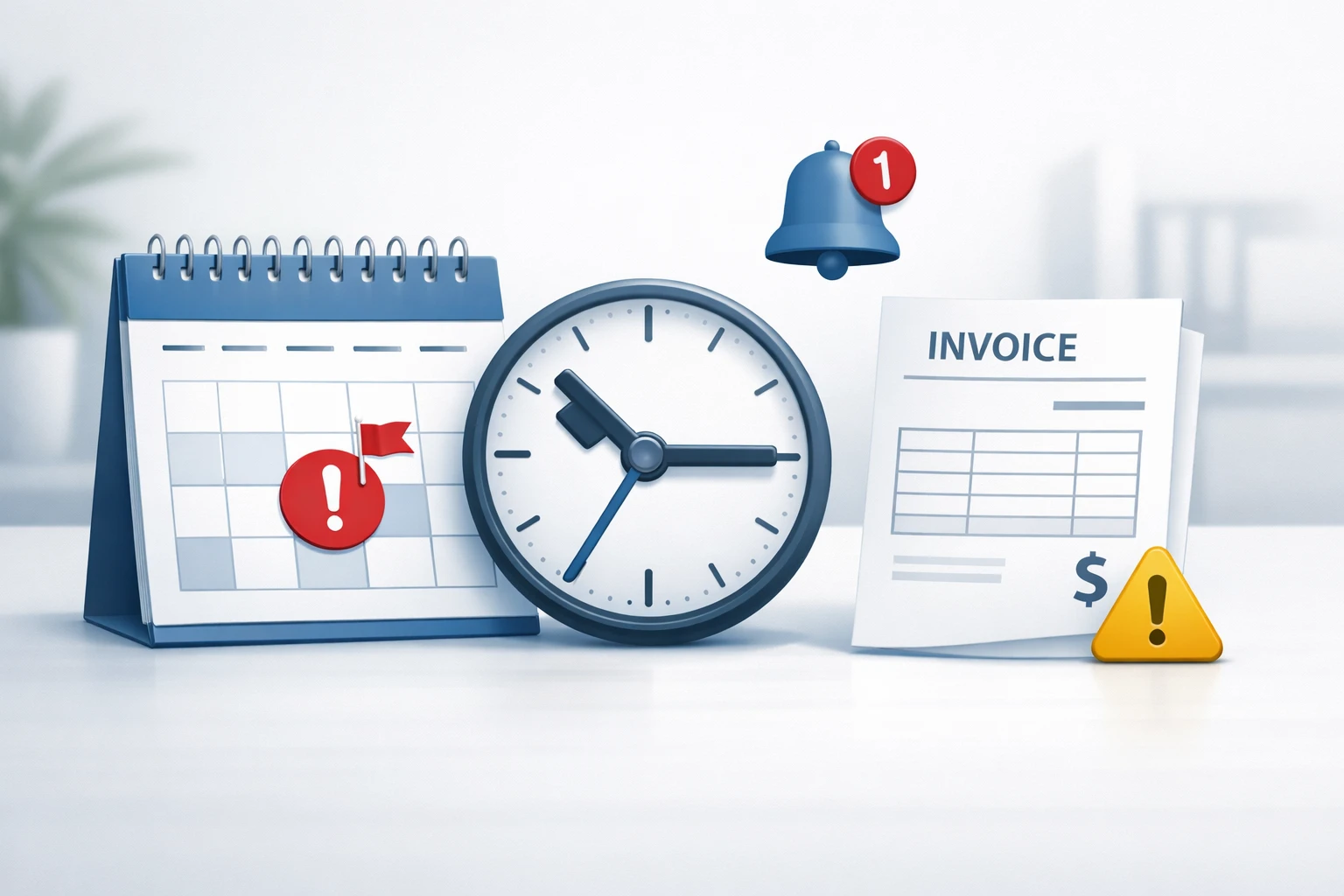
The majority of freelancers are afraid to follow up, because they do not want to destroy the relationship with the client. Reminders that are professional and polite, however, show that you are structured and serious about your business.
Fix: Install automatic reminders or send follow-ups on a regular basis. Automatic tools enable you to create reminders, which will maintain regular communication and will not require you to do it manually.
Tip: Keep reminder messages polite and professional. For example, a simple message like “Just a friendly reminder that Invoice #123 is due” works effectively.
10. Ignoring Currency, Language, or International Details
Failure to identify currency or language when dealing with international clients can cause severe confusion in payments. Clients can be uncertain what exactly they have to pay, or they can misread the invoice information altogether.
Currency confusion can be a particular issue with freelancers dealing with overseas customers. The absence of currency labels can also cause money to be sent in the wrong quantity or may need further explanation, further complicating the process of payment.
Fix: Make sure to state the currency (e.g., USD, GBP, EUR) and make sure the language of the invoice can be comprehended by the client. Use tools that support multi-currency and international formatting.
Tip: You should add the instructions related to the international payments, i.e. IBAN, SWIFT codes or the details of the payment platforms.
👉 Fix Invoice Mistakes Instantly
How Online Invoice Generators Help Avoid Mistakes
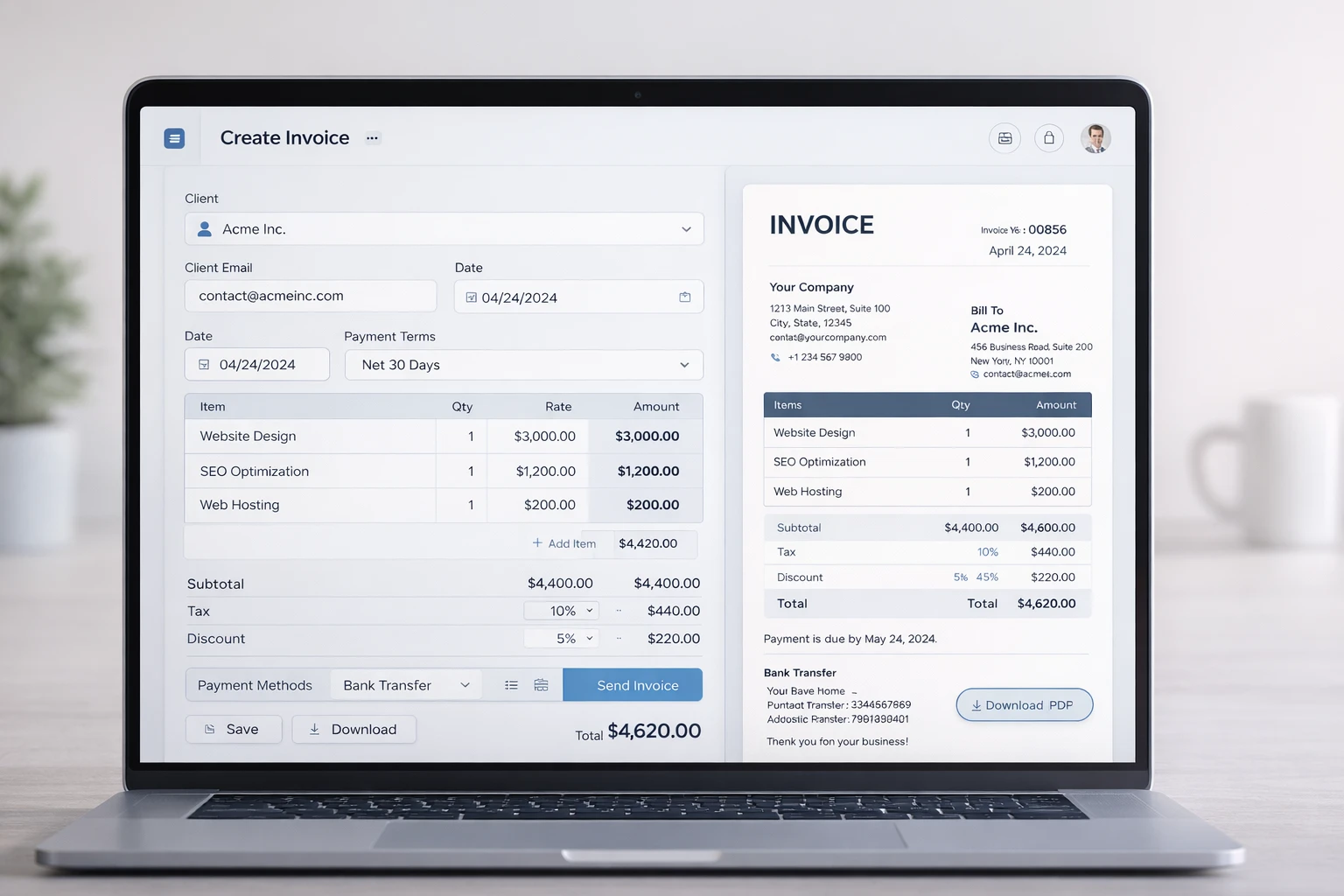
Manual invoice generation is susceptible to mistakes and time-consuming. The online tools such as e4tools free online invoice generator become automated in calculation, creation of professional templates and enable easy downloading of PDFs. They minimize mistakes in total, taxes, discounts and formatting without losing branding.
Automation enhances tracking, reconciliation, and client follow-ups. Companies record quicker collections, a reduced number of disputes and improved satisfaction among clients. Approved invoices make it less confusing and enhance compliance.
Quick Tips to Get Paid Faster
A further benefit of being paid sooner does not necessarily mean sending invoices but maximizing at the point of creation, present and subsequently following up on invoices. With several simple and effective steps, freelancers and small businesses may reduce delays in payments to a considerable extent and increase stable cash flow.
- Clear Due Dates: Specify exact deadlines.
- Various payment methods: Pay with PayPal, bank cheque, and credit cards.
- Professional Invoice Templates: Consistent Branding.
- Automated Reminders: Schedule follow-ups.
- Detailed Line Items: Break down every product/service.
- Immediate Delivery: Send invoices as soon as work is completed.
The use of tools such as a free online invoice generator makes the process automated and minimizes errors as well as fast payments to clients. These are the top freelancer invoice tips every small business should follow.

FAQs
Missing invoice numbers, wrong line items, inadequate payment terms, and poor formatting are the most frequent errors that freelancers make on invoices. Such mistakes tend to confuse the clients and slow down the payments, particularly when invoices are checked by the finance departments.
Small businesses can overcome wastage of time through professional templates, checking calculations, and sending invoices once the work is complete. Automated tools can also prevent errors and make all invoices consistent.
Yes, invoice mistakes may have a negative effect on client relationships. Errors can cause misunderstandings and lack of confidence and make your business unprofessional, and this aspect can influence long-term collaboration.
Online invoice generators make the invoice procedure simpler by automating the calculations, standardizing the format or even simplifying the invoice-making process. They also assist in minimizing the number of human mistakes and guaranteeing precision, enabling you to resolve invoice errors that slow down payment and enhance efficiency in general.
Yes, absent or duplicate invoice numbers may lead to severe problems with tracking and accounting. They can cause confusion, delayed payments and trouble in audit or financial reporting.
In case the invoice is wrong, inform a client right away and deposit a corrected version. Check carefully all line items, totals, taxes and payment terms. Timely correction keeps the clients assured that payments are on schedule.
An invoice error happens when the information on a billing document is inaccurate or it is missing. Examples are incorrect totals, forgotten client details, incorrect taxes or vague payment instructions. Such mistakes may delay the payments and cause confusion.
Conclusion
Professionalism, payments made on time and good cash flow all depend on avoiding common invoice mistakes. Missed invoice numbers, incorrect line items, not-stated terms of payment, and bad formatting are some of the basic mistakes that can be easily rectified using online tools such as e4tools free online invoice generator.
Minimum Case: A contractor manually prepared 50 invoices within a month and experienced delays on 8 of them. The transition to an automated generator removed all delays and enhanced client confidence.
Through the best practices mentioned above, freelancers, contractors, and small businesses would be able to ensure that they get paid quicker, avoid all commotion, maintain accurate financial documentation, and develop strong connections with the clients. Professional well-stated invoices lead to better cash flow, fewer follow-ups, and increased credibility and make your business operations more efficient and easier.
Finally, understanding how to invoice is not only about receiving payments but also about trust, professionalism, and long-term relationships with clients.
Explore more about e4tools and get started: